Works on: Windows 10 | Windows 8.1 | Windows 8 | Windows 7 | Windows XP | Windows 2000 | Windows 2003 | Windows 2008 | Windows Vista | Windows 2012 SHA1 Hash: 759e260775d8065bf937daf641719fda8eda7d50 Size: 496.04 KB File Format: exe
Rating: 2.0
out of 5
based on 23 user ratings
Publisher Website: External Link Downloads: 1958 License: Demo / Trial Version
JointAction BreakTime is a demo software by JointAction and works on Windows 10, Windows 8.1, Windows 8, Windows 7, Windows XP, Windows 2000, Windows 2003, Windows 2008, Windows Vista, Windows 2012.
You can download JointAction BreakTime which is 496.04 KB in size and belongs to the software category Home and Education. JointAction BreakTime was released on 2010-10-27 and last updated on our database on 2017-04-22 and is currently at version 1.1.
Thank you for downloading from SoftPaz! Your download should start any moment now. It would be great if you could rate and share:
Rate this software:
Share in your network:
JointAction BreakTime Description
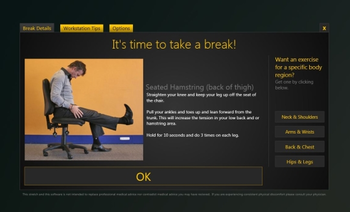
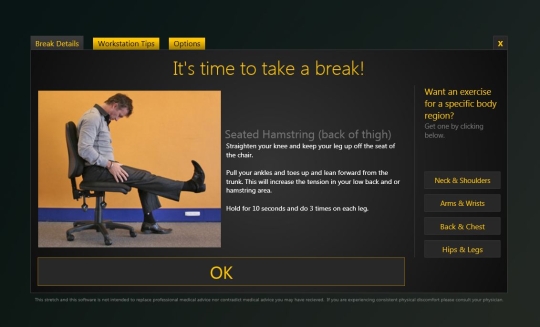
One of the biggest problems our bodies face on a daily basis is the number of hours we sit in front of a computer screen. This constant overload often results in neck, upper spine and lower back pain, as well as unpleasant sensations in our upper arms, forearms and wrists. However, these unwanted side effects can be minimised by using BreakTime.BreakTime is a revolutionary new software program devised by JointAction that discretely runs on individual computers, sending friendly on-screen reminders about when to move or take a break, advice on what to do if the user feels tight or sore in a particular part of the body, plus clear seating and posture tips. All of these features can be customised by the user depending on how much support and information they feel they need on any particular day. As a result, you feel better and productivity goes up. Prevention is the best form of management for those aches and pains due to lots of sitting.-A library of 16 stretches covering your entire body. Enough to be effective, but no so many that you get lost in them.-Workstation setup tips to help you optimise your posture.-Customisable break interval from 15 minutes to 2 hours.-One-click lock, so you dont get break pop-ups during that important presentation.
Where to buy?
Last updated price and discount information 9 years agoupdate now



 Windows XP and above
 View Screenshots(1)
 Comments
 Download





 Similar Software


 Recently Searched
 Software Categories
 Trending Software
 Like Us


