Works on: Windows 10 | Windows 8.1 | Windows 8 | Windows 7 | Windows XP | Windows 2000 | Windows 2003 | Windows 2008 | Windows Vista | Windows 2012 SHA1 Hash: da8134253b59ea9239c119e27c8a04a5c3a6e14a Size: 2.39 MB File Format: zip
Rating: 1.8
out of 5
based on 23 user ratings
Downloads: 1001 License: Free
JustResizeIt free is a free software by Perspectives Software Solutions and works on Windows 10, Windows 8.1, Windows 8, Windows 7, Windows XP, Windows 2000, Windows 2003, Windows 2008, Windows Vista, Windows 2012.
You can download JustResizeIt free which is 2.39 MB in size and belongs to the software category Cover editors. JustResizeIt free was released on 2013-08-29 and last updated on our database on 2017-04-26 and is currently at version 2.
Thank you for downloading from SoftPaz! Your download should start any moment now. It would be great if you could rate and share:
Rate this software:
Share in your network:
JustResizeIt free Description
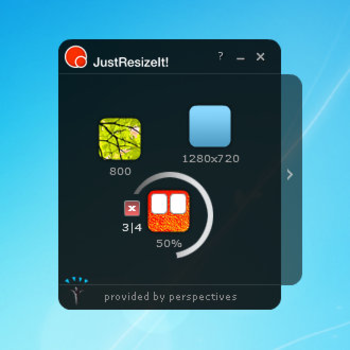
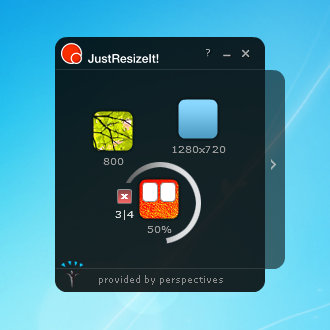
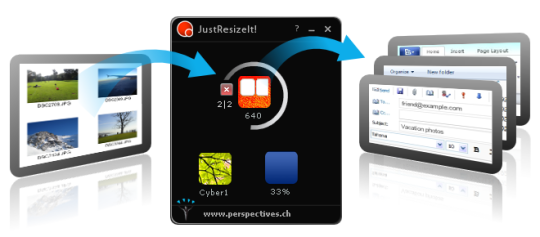
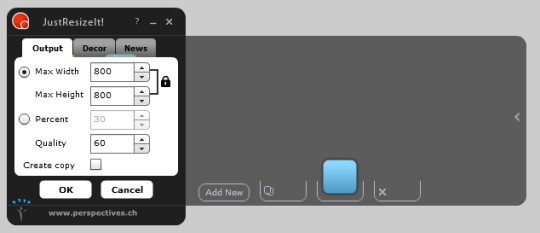
Resize your images quickly and easily with one drag and drop1.) Drag and drop one or more images into JustResizeIt!2.) let it resize, and3.) drag and drop the resized images into an e-mail, office document or a folderDigital cameras shoot images with many megapixels. This is necessary for good printouts, but makes it difficult to enjoy them on digital devices. The many megapixels are too heavy for e-mail, Web, mobile phones and tablets. The resizing effort is often too large. Your best moments remain archived somewhere on the hard disk. That is not to be.With JustResizeIt! it is very simple. Drag images to widgets. The image size is automatically resized. You have defined the size and quality for each purpose in advance. The images are now portable.You can create widgets that define how the images will be resized. Create as many widgets as you want - one for each of your resizing needs. For example, you can create a widget for sending photos in mail with a maximum size of 800 pixels. Or, you could create a widget for resizing photos to upload into a web gallery at 50% of their original size. JustResizeIt! resizes images in two ways: - Width and height - Define precisely the final dimensions of the image - Percentage - Define how much smaller the image should be.Typical usages: Resize your pictures before using them in documents. Your documents will have the same quality while viewing and printing but they will load much faster and you wont have to wait for long to send and receive them by email. Resize your pictures to the maximum resolution of your TV. The quality of viewing is preserved (see Image quality in Tips & tricks). But, as your pictures are smaller, copying to a USB stick and loading on your HDTV gets done in 10x less time! Resize your pictures before sending them per email or on an online gallery. The sending will be much faster and you need much less space.



 Windows XP and above
 View Screenshots(3)
 Comments
 Download




 Similar Software


 Recently Searched
 Software Categories
 Trending Software
 Like Us


