Version: 3.15 Last Updated: 13 Jun 2017 Release: 13 Mar 2012 Category: System
Rate this software:
132 downloads
View Screenshots(3)
Comments
Download
Liked it? Tell others:
KeyText Details
Works on: Windows 10 | Windows 8.1 | Windows 8 | Windows 7 | Windows XP | Windows 2000 | Windows 2003 | Windows 2008 | Windows ME | Windows Vista | Windows 2012 SHA1 Hash: 6c5c199c25872f58c48ae251e645283777598077 Size: 3.1 MB File Format: zip
Rating: 2.2
out of 5
based on 23 user ratings
Publisher Website: External Link Downloads: 132 License: Demo / Trial Version
KeyText is a demo software by Mjmsoft Design Ltd. and works on Windows 10, Windows 8.1, Windows 8, Windows 7, Windows XP, Windows 2000, Windows 2003, Windows 2008, Windows ME, Windows Vista, Windows 2012.
You can download KeyText which is 3.1 MB in size and belongs to the software category System. KeyText was released on 2012-03-13 and last updated on our database on 2017-06-13 and is currently at version 3.15.
Thank you for downloading from SoftPaz! Your download should start any moment now. It would be great if you could rate and share:
Rate this software:
Share in your network:
KeyText Description
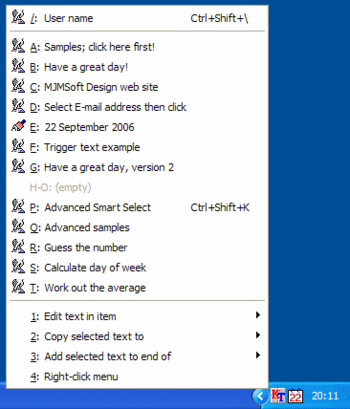
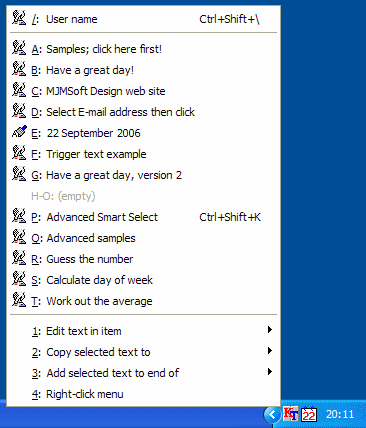
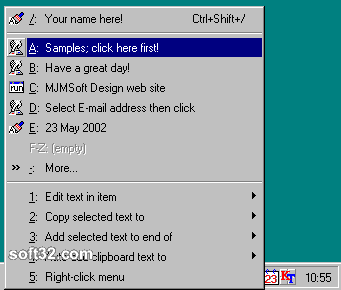
Multi-purpose text and automation utility. KeyText stores boilerplate text, ready to be typed or pasted into any application by a simple hotkey press, trigger text (abbreviation), or menu selection. "Right-click anywhere" feature makes form-filling easier than ever.
Include commands to run programs, click buttons, change windows, visit Internet sites and more - or automate mouse clicks which hit the right spot even if a window changes position.
"Smart Select" feature lets you, for example, select text in any app, hit a hotkey, and: if it's an email address your e-mail program starts with a new message ready; if it's a zip code, goes to an online map; if it's a URL, goes to the site; if it's one word, does a dictionary lookup.
Now includes advanced features such as regular expressions, allowing sophisticated text examination and manipulation, and if/then/else logic which can even be based on the color of a pixel.
Use the built-in Scheduler to run programs at set days and times - or tell KeyText to watch for certain windows, dialogs, or password requests appearing, and it will fill in or button-click them away.
Easy wizards help you set it all up. Save time with KeyText!
Where to buy?
Last updated price and discount information 9 years agoupdate now



 Windows ME and above
 View Screenshots(3)
 Comments
 Download





 Similar Software


 Recently Searched
 Software Categories
 Trending Software

 Like Us

