Version: 5.3 Last Updated: 13 Jun 2017 Release: 10 Feb 2011 Category: CD DVD Blu-ray Tools
Rate this software:
1130 downloads
View Screenshots(3)
Comments
Download
Liked it? Tell others:
KingConvert DVD To Sony Ericsson Details
Works on: Windows 10 | Windows 8.1 | Windows 8 | Windows 7 | Windows 2012 SHA1 Hash: 3a2f140b5cab7c9ed4d5fb27d10cff3821c7cefd Size: 7.07 MB File Format: zip
Rating: 2.3
out of 5
based on 23 user ratings
Publisher Website: External Link Downloads: 1130 License: Demo / Trial Version
KingConvert DVD To Sony Ericsson is a demo software by Kingconvert and works on Windows 10, Windows 8.1, Windows 8, Windows 7, Windows 2012.
You can download KingConvert DVD To Sony Ericsson which is 7.07 MB in size and belongs to the software category CD DVD Blu-ray Tools. KingConvert DVD To Sony Ericsson was released on 2011-02-10 and last updated on our database on 2017-06-13 and is currently at version 5.3.
Thank you for downloading from SoftPaz! Your download should start any moment now. It would be great if you could rate and share:
Rate this software:
Share in your network:
KingConvert DVD To Sony Ericsson Description
Key Functions
Convert all kinds of multimedia for sonyericsson
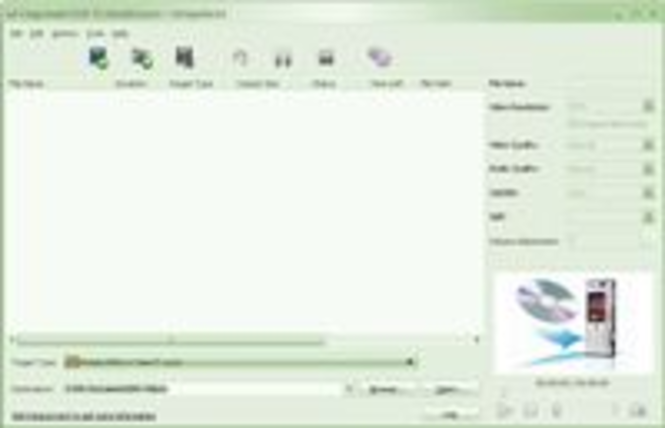
Kingconvert DVD To SonyEricsson can convert all the regular formats to MP4, 3GP video formats and AAC, MP3, WAV audio for all the advanced sonyericsson players.
Video Splitter
Kingconvert DVD To SonyEricsson allows you to get any clips from your video sources. You can get it by set the exact time or just drag the slider bar.
Easy to use
Kingconvert DVD To SonyEricsson is absolutely easy to use. The whole process of conversion can be finished in few clicks.
Set all the parameters
All the parameters of profile can be provided for you to choose the exact settings for your players with the assistance of DVD To SonyEricsson.
Adjust Video Settings: Encoder, Resolution, Frame Rate, Video Bitrate
Adjust Audio Settings: Encoder, Sample Rate, Channels, Audio Bitrate
Input you want Video Resolution parameter in the form of Width(pixels)*Height(pixels), all those parameters can be saved as user defined profile for your future use.
Support Deinterlacing effectively
Deinterlacing can be done to improve the video quality by converting interlacing video to the opposite of it - progressive video(picture quality more clearly).
Subtitle and audio track selection
Allow you to select subtitle or audio track when converting video to sonyericsson.
Where to buy?
Last updated price and discount information 9 years agoupdate now



 Windows 7 and above
 View Screenshots(3)
 Comments
 Download





 Similar Software


 Recently Searched
 Software Categories
 Trending Software
 Like Us


