Works on: Windows 10 | Windows 8.1 | Windows 8 | Windows 7 | Windows 2012 SHA1 Hash: 5a788b1ccc1c6b85030e937afd34c9071e00eaf0 Size: 42.81 MB File Format: exe
Rating: 2.2
out of 5
based on 23 user ratings
Publisher Website: External Link Downloads: 104 License: Demo / Trial Version
M2Convert Professional is a demo software by M2 Solutions Inc. and works on Windows 10, Windows 8.1, Windows 8, Windows 7, Windows 2012.
You can download M2Convert Professional which is 42.81 MB in size and belongs to the software category Video Editors Codecs Players. M2Convert Professional was released on 2011-02-10 and last updated on our database on 2017-03-08 and is currently at version 3.
Thank you for downloading from SoftPaz! Your download should start any moment now. It would be great if you could rate and share:
Rate this software:
Share in your network:
M2Convert Professional Description
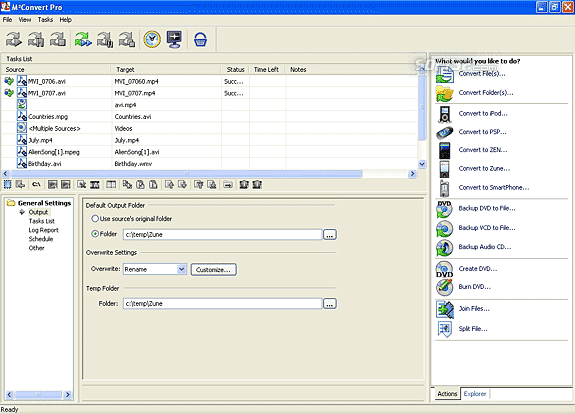
M2Convert Professional makes it easy for you to Convert, Compress and Burn DVDs. Convert any Multimedia file from any supported format (including AVI, ASF, WMV, MPG, MPEG, MOV, MP4, OGG, WAV, MP2, DivX and more) to another format while maximizing compression. Convert one or more media files to DVD, VCD, iPod, PSP, Zune, ZEN, Smartphone and many other multimedia formats in one easy process with complete control of the size, quality and compression. Now you have a choice of outputting to file or DVD. Now in version 3.0!
Features:
*Convert/compress files from any format (AVI, ASF, WMV, MPG, MPEG, OGG, MOV, MP4 and more) to any format M2Convert supports.
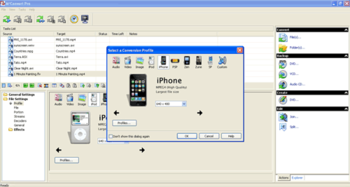
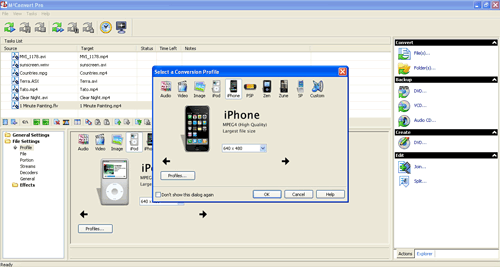
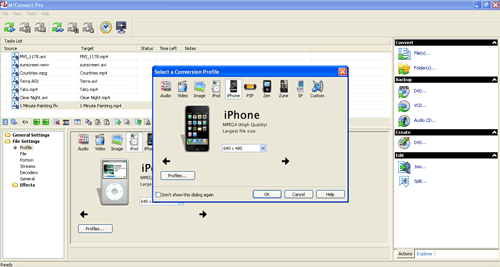
*Convert to iPod, PSP, Zune, ZEN and Smartphone compatible formats.
*Backup DVD or VCD (convert from a DVD to any supported file format) including another DVD.
*Backup audio CD (convert from an audio CD to any supported file format).
*Create DVDs with menus, titles, and chapters.
*Select the portions of the DVD to backup:
*Backup the entire DVD.
*Backup only the movie.
*Backup specific titles.
*Backup specific chapters in each title.
*Select the audio stream.
*Select the subtitles.
*Burn DVDs.
*Burn more files on one DVD by using M2Convert Pro?s advanced compression options.
*Join two or more media formats to create a single file, split a file into multiple files, extract portions from a file to another file.
*Split a file into multiple files.
*Extract portions from a file to another file.
Where to buy?
Last updated price and discount information 9 years agoupdate now



 Windows 7 and above
 View Screenshots(3)
 Comments
 Download





 Similar Software


 Recently Searched
 Software Categories
 Trending Software
 Like Us


