


 Windows 2000 and above
| Rate this software: | |
| 1217 downloads | |
 View Screenshots(4)
 Comments
 Download




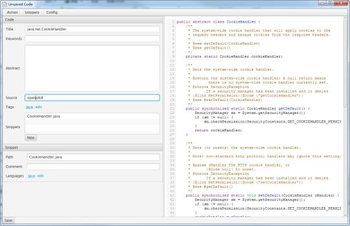
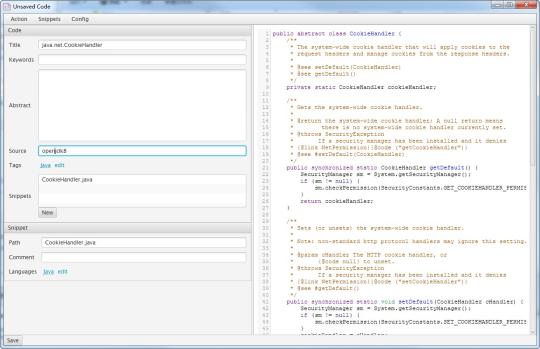
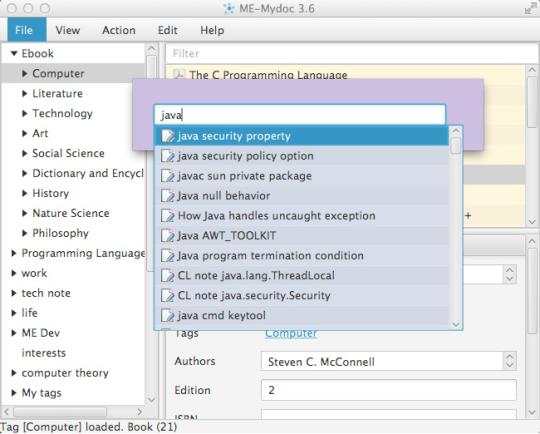
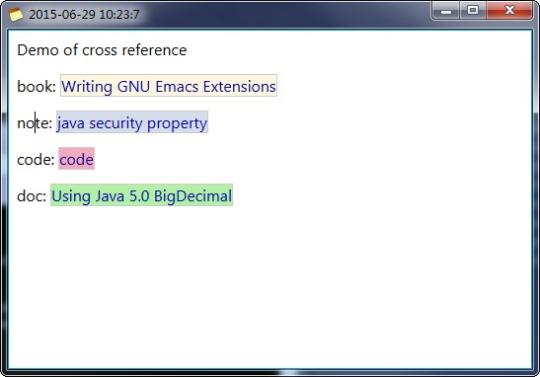
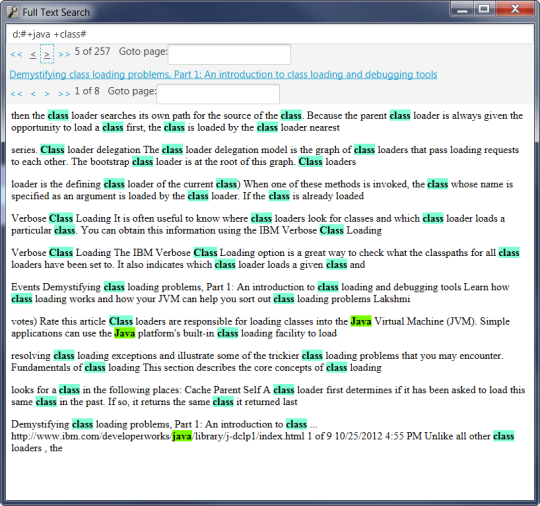
Features list: Multiple platform support. Based on Java and JavaFX. Available on all platforms supporting Java 8. Floating search window where conditional query and full text query are supported. Create notes (memo) in html format with tags. Note editing window in minimal mode HTML Source code editing in Note. Cross reference Note, Book, Code and Doc in Note. Render source code and Math (AsciiMath) in Note. Archive documents with tags. Archive books with tags. Full text search for Ebook, Doc and Note. Currently, entities in English with file format pdf, html, txt are supported. Indexing progress and incremental indexing. Dedicated search hit highlight window. Manage source code snippets in a syntax highlighting editing window. Supports common languages such as Java, C, C++, C#, Objective-C, Python, Perl, Php, Ruby, XML, Javascript, Bash, SQL, HTML, Groovy, Common-Lisp, Scheme. Global hot keys on Windows, Linux and Mac. Asynchronous GUI design: item listing is incremental and asynchronous. Book property window. Doc property window. Note property window. Launch related file with default application from within mydoc. Various view modes: Favourite items. Hidden items. Tag hyperlink.
Whats new in this version:
Now user can manage notes, docs, code snippets and books with full text search.
 Similar Software


 Recently Searched
 Software Categories
 Trending Software


 Like Us

Free Windows software, games, themes and wallpapers with direct download links since 2011.

