Works on: Windows 10 | Windows 8.1 | Windows 8 | Windows 7 | Windows 2012 SHA1 Hash: 47daf82ab6a549dbb26053a7e9a86d1a0e49dcd3 Size: 34.5 MB File Format: exe
Rating: 2.2
out of 5
based on 23 user ratings
Publisher Website: External Link Downloads: 136 License: Demo / Trial Version
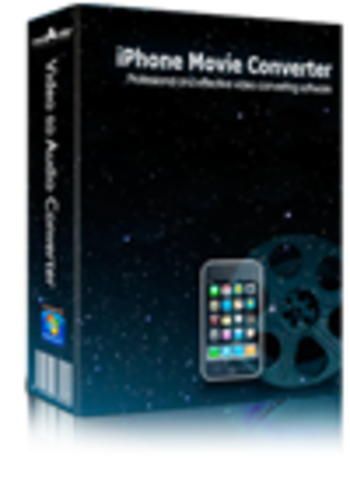
mediAvatar iPhone Movie Converter is a demo software by Mediavatar Software Studio and works on Windows 10, Windows 8.1, Windows 8, Windows 7, Windows 2012.
You can download mediAvatar iPhone Movie Converter which is 34.5 MB in size and belongs to the software category Hard Disk and CD DVD BluRay Utilities. mediAvatar iPhone Movie Converter was released on 2011-07-05 and last updated on our database on 2017-03-08 and is currently at version 6.6.
Thank you for downloading from SoftPaz! Your download should start any moment now. It would be great if you could rate and share:
Rate this software:
Share in your network:
mediAvatar iPhone Movie Converter Description
As iPhone movie converter for converting videos for your iPhone, mediAvatar iPhone Movie Converter can convert nearly all video formats like AVI, MPEG, WMV, DivX, MOV, RM, VOB to iPhone MP4 video. It's also a great iPhone music converter to convert popular music files like WMA, MP2, OGG, RA, AC3, APE, CDA and so on to iPhone music MP3, WAV, M4A, and extract audios from video files for listening on your iPhone. Key features: 1. With CPU auto-detect, you'll get the highest iPhone video conversion speed. 2. Set divers output profiles for one source at one time to get iPhone videos and music in one step with simpler operation and less time. 3. Either splitting one file into several ones with preset size for output or compressing a large file to the size you want with the Bitrate Calculator tool can help you get the exact file size you want. 4. Convert any segment by setting the start point and duration. 5. Designed for both novices and pros, it provides general and advanced settings of video and audio conversion to facilitate the iPhone video conversion. And a large range of expert settings are especially directed to more advanced requirements when converting video to iPhone. 6. From terse interface to batch conversion support, this video to iPhone converter makes it highly simple and quick to convert multiple iPhone videos and audios in one step. 7. Running the iPhone video converter in background will lower its priority and get more efficiency on running other programs. 8. Preview source file prior to iPhone video conversion; take snapshot when preview; set after done action to save trouble; and more features are available. Quality is our reputation. mediAvatar tools let you easily convert DVD/videos, transfer files for any players and portable devices incl. phones. We truly believe that mediAvatar Software Studio high quality products will better enhance your digital life experience.
Where to buy?
Last updated price and discount information 9 years agoupdate now



 Windows 7 and above
 View Screenshots(3)
 Comments
 Download





 Similar Software


 Recently Searched
 Software Categories
 Trending Software


 Like Us

