Works on: Windows 10 | Windows 8.1 | Windows 8 | Windows 7 | Windows 2008 | Windows Vista | Windows 2012 SHA1 Hash: bcdbae3937a86301afe15209c1581af4efbe95b4 Size: 34.52 MB File Format: exe
Rating: 2.2
out of 5
based on 23 user ratings
Publisher Website: External Link Downloads: 1284 License: Demo / Trial Version
MediaVideoConverter DVD to MP4 Converter is a demo software by Mediavatar Software Studio and works on Windows 10, Windows 8.1, Windows 8, Windows 7, Windows 2008, Windows Vista, Windows 2012.
You can download MediaVideoConverter DVD to MP4 Converter which is 34.52 MB in size and belongs to the software category Others. MediaVideoConverter DVD to MP4 Converter was released on 2011-07-12 and last updated on our database on 2017-03-08 and is currently at version 6.6.
Thank you for downloading from SoftPaz! Your download should start any moment now. It would be great if you could rate and share:
Rate this software:
Share in your network:
MediaVideoConverter DVD to MP4 Converter Description
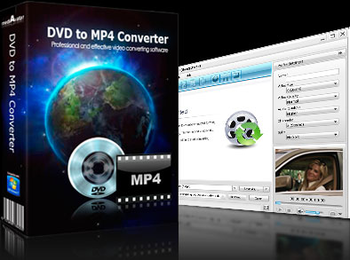
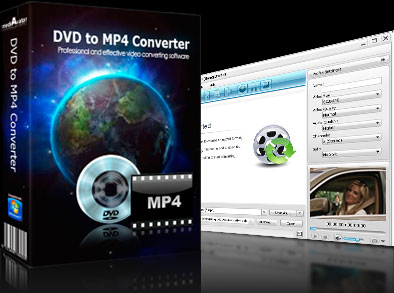
mediAvatar DVD to MP4 Converter makes it easy to rip DVD to MP4, DivX, WMV to play on PSP, PS3, iPod, iPhone, Apple TV, Archos, iRiver PMP and Creative Zen. Besides converting DVD to MP4 videos, this DVD to MP4 converter can simply extract MP3, M4A, and AAC audio from DVD. Moreover, you can do further settings to customize the DVD to MP4 conversion, e.g. specify the output video size, select subtitle, audio and angle for output file, etc.
New:
1. Adopts multi-thread encoding technology which promotes the converting speed of High Definition videos.
2. Optimizes profiles for iPad and iPhone 4.
3. Lyric support for MP3 format music.
4. Metadata support for MP4 and M4A formats.
Features:
1. This DVD to MP4 converter can get DVD info online including film name, director, actors/actresses, DVD cover, and display expressive title and chapter names.
2. With the built-in Bitrate Calculator, you can specify any file size to fit your need and the DVD to MP4 converter will change the corresponding bit rate automatically.
3. This DVD to MP4 converter allows you to choose subtitle, audio and angle that the source file provides for output file.
4. You can split the output file to several by setting split file size or time when converting a long title or chapter of a DVD to MP4 or AVI.
5. If you want to get multiple files for different players from one source file, just add these profiles to the source and make them converted one by one automatically.
6. Just insert DVD and select your player type and start conversion, then you will get the right video with high converting speed and excellent quality.
7. Supports GPU acceleration, multithreading and batch conversion to provide faster conversion speed and ease your operation when you need to convert multiple files at the same time.
8. Minimize the DVD to MP4 converter to system tray to promote computer's performance and set after done actions to get more convenience.
Where to buy?
Last updated price and discount information 9 years agoupdate now



 Windows Vista and above
 View Screenshots(2)
 Comments
 Download





 Similar Software


 Recently Searched
 Software Categories
 Trending Software


 Like Us
