Works on: Windows 10 | Windows 8.1 | Windows 8 | Windows 7 | Windows 2008 | Windows Vista | Windows 2012 SHA1 Hash: 37bb563e95f89bc67063eb7c3f51cc0afe8c82ee Size: 34.52 MB File Format: exe
Rating: 2.1
out of 5
based on 23 user ratings
Publisher Website: External Link Downloads: 913 License: Demo / Trial Version
MediaVideoConverter DVD to WMV Converter is a demo software by Mediavatar Software Studio and works on Windows 10, Windows 8.1, Windows 8, Windows 7, Windows 2008, Windows Vista, Windows 2012.
You can download MediaVideoConverter DVD to WMV Converter which is 34.52 MB in size and belongs to the software category Others. MediaVideoConverter DVD to WMV Converter was released on 2011-07-12 and last updated on our database on 2017-03-08 and is currently at version 6.6.
Thank you for downloading from SoftPaz! Your download should start any moment now. It would be great if you could rate and share:
Rate this software:
Share in your network:
MediaVideoConverter DVD to WMV Converter Description
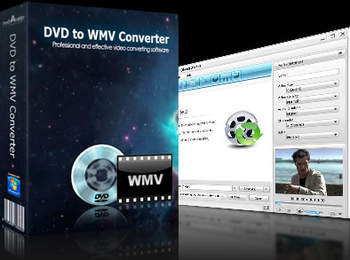
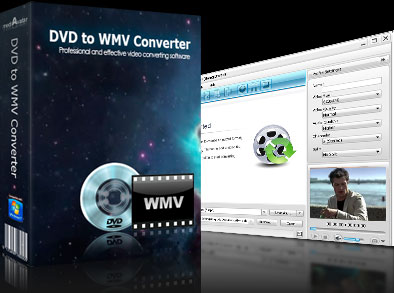
mediAvatar DVD to WMV Converter makes it easy to rip and convert DVD to WMV video and WMA audio. You can get WMV movie and WMA music from DVD with high quality in few clicks, and then enjoy the excellent movie and music on your digital player anytime anywhere.
New:
Adopts multi-thread encoding technology which promotes the converting speed of High Definition videos.
Features:
1. The DVD to WMV ripper enables you to get detailed DVD info from online database, including general info such as film name, director, DVD cover as well as title and chapter names of the movie.
2. You can set more than one output formats for one source file and get same-content file with different formats, or you can clone a title to apply different formats on each copy.
3. Choose subtitle, audio and angle for target WMV file from DVD source to convert DVD to WMV ideally.
4. Allow you to split a fairly large movie to several parts by given file size or time length for your convenience.
5. Extract a movie segment you like in the DVD by setting its start time and duration.
6. With Bitrate Calculator, the DVD to WMV converter enables you to specify the video size you want to fit your digital player.
7. Provide a built-in player for DVD preview and support snapshot taken in preview process.
8. Check for updates automatically after the DVD to WMV converter launches to assure you own all the latest functions.
9. You can set the DVD to WMV ripper run in background to lower the priority and get better performance for your computer.
10. Allow you to set shut down, standby, hibernate or exit program action to specify the command after DVD to WMV, DVD to WMA conversion completed.
Quality is our reputation. mediAvatar tools let you easily convert DVD/videos, transfer files for any players and portable devices incl. phones. We truly believe that mediAvatar Software Studio high quality products will better enhance your digital life experience.
Where to buy?
Last updated price and discount information 9 years agoupdate now



 Windows Vista and above
 View Screenshots(2)
 Comments
 Download





 Similar Software


 Recently Searched
 Software Categories
 Trending Software
 Like Us

