Works on: Windows 10 | Windows 8.1 | Windows 8 | Windows 7 | Windows XP | Windows 2000 | Windows 2003 | Windows 2008 | Windows Vista | Windows 2012 SHA1 Hash: 1fdee8d0e0bf45aede86c3ec33d1eb702d1e5b7e Size: 1.73 MB File Format: zip
Rating: 1.8
out of 5
based on 23 user ratings
Publisher Website: External Link Downloads: 249 License: Demo / Trial Version
Modest Web Surfing is a demo software by Adria Codes and works on Windows 10, Windows 8.1, Windows 8, Windows 7, Windows XP, Windows 2000, Windows 2003, Windows 2008, Windows Vista, Windows 2012.
You can download Modest Web Surfing which is 1.73 MB in size and belongs to the software category Bookmark Managers. Modest Web Surfing was released on 2011-08-01 and last updated on our database on 2017-04-23 and is currently at version 1.
Thank you for downloading from SoftPaz! Your download should start any moment now. It would be great if you could rate and share:
Rate this software:
Share in your network:
Modest Web Surfing Description
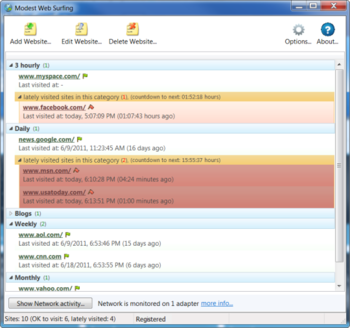
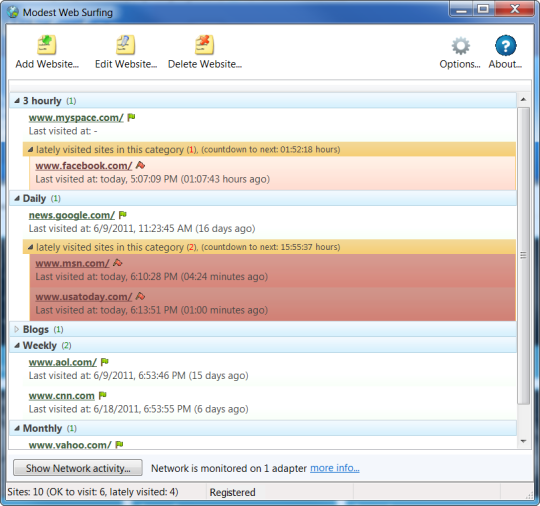
Introduction to Modest Web Surfing - a windows utility to combat excessive Internet usageMany Internet users, especially those whose job grants them continuous access to the Internet have experienced excessive Internet usage at least occasionally, having periods of excessively visiting their familiar Websites and thus loosing quality time on unneeded surfing.The simple-to-use methods of this utility make it possible to control excessive Internet usage or Internet addiction in a way that is not interfering with useful Internet activity that one needs for business or education.A typical situation of excessive Internet usage is when one sits in his office and has work to do, but instead of doing the work, one keeps on opening the Web browser and visits the same Web sites over and over again. Shortly thereafter one forgets what he has visited that day and starts a new surfing session again.In order to avoid such situations Modest Web Surfing utility will track and record the times of when you visited your favorite Web sites. Additionally, all the sites that are recently visited will be marked as such, with a different colour etc. Desktop notifications for those sites that are lately visited can be switched on as well.The line between excessive surfing and Internet addiction is not easily defined, but whenever one feels that he has overdone Internet surfing, then its a good time to do something about it. All the features from this utility will help you in this regard.
Where to buy?
Last updated price and discount information 9 years agoupdate now



 Windows XP and above
 View Screenshots(3)
 Comments
 Download





 Similar Software


 Recently Searched
 Software Categories
 Trending Software
 Like Us


