Works on: Windows 10 | Windows 8.1 | Windows 8 | Windows 7 | Windows 2012 SHA1 Hash: 38e1f5e274950f4f782d94b5686174a97b318597 Size: 8.54 MB File Format: exe
Rating: 2.4
out of 5
based on 23 user ratings
Publisher Website: External Link Downloads: 111 License: Demo / Trial Version
Munia is a demo software by Daisoft and works on Windows 10, Windows 8.1, Windows 8, Windows 7, Windows 2012.
You can download Munia which is 8.54 MB in size and belongs to the software category Accounting and Billing Software. Munia was released on 2011-02-10 and last updated on our database on 2017-03-08 and is currently at version 1.5.
Thank you for downloading from SoftPaz! Your download should start any moment now. It would be great if you could rate and share:
Rate this software:
Share in your network:
Munia Description
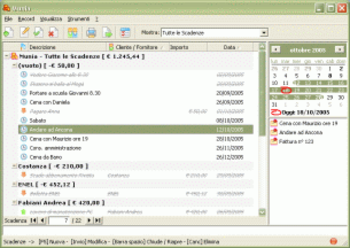
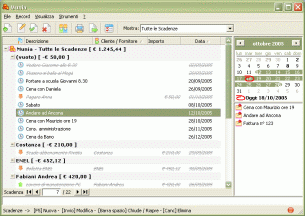
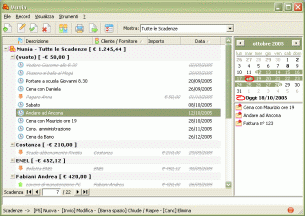
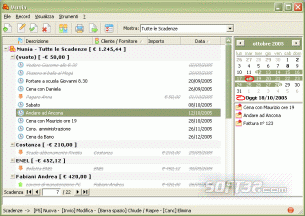
Munia is a scheduling program that allows you to manage credits / debits, appointments and deadlines by means of a single data sheet and calendar showing expiry dates relevant to a selected period. All commands are grouped in both the upper toolbar and menu bar.
Use
Munia is quick and easy-to-use.
The data sheet clearly displays all credit / debit due dates and the relevant amounts, differentiating between open and met deadlines. It is possible to filter data on the basis of given criteria by simply by selecting the relevant item from the tool bar list. In addition, rows can be grouped in a homogenous manner, according to set criteria, to clearly and automatically show the overall amounts due.
Calendar - Things to do
When the program is opened a calendar shows the deadlines relevant to the day in question. It is possible to select a different period at any time. In addition, the calendar highlights those dates still showing open deadlines. The lower part of the screen features a list of Things to Do (Open deadlines) for the selected period.
Status bar
The status bar on the lower part of the screen shows information relevant to the operation being carried out. A coloured circle on the right side of the screen indicates the current deadline situation (Green: OK - Red: Open, expired or about to expire deadlines).
Where to buy?
Last updated price and discount information 9 years agoupdate now



 Windows 7 and above
 View Screenshots(3)
 Comments
 Download





 Similar Software


 Recently Searched
 Software Categories
 Trending Software


 Like Us
