Works on: Windows 10 | Windows 8.1 | Windows 8 | Windows 7 | Windows XP | Windows 2000 | Windows 2003 | Windows 2008 | Windows 98 | Windows ME | Windows NT | Windows Vista | Windows 2012 SHA1 Hash: 2641e9c40edcadc1a378f632d4de47930cdb86c8 Size: 1.15 MB File Format: exe
Rating: 2.6
out of 5
based on 23 user ratings
Downloads: 181 License: Free
OE Recovery Free is a free software by OE Recovery and works on Windows 10, Windows 8.1, Windows 8, Windows 7, Windows XP, Windows 2000, Windows 2003, Windows 2008, Windows 98, Windows ME, Windows NT, Windows Vista, Windows 2012.
You can download OE Recovery Free which is 1.15 MB in size and belongs to the software category E-mail. OE Recovery Free was released on 2011-12-14 and last updated on our database on 2017-04-23 and is currently at version 1.
Thank you for downloading from SoftPaz! Your download should start any moment now. It would be great if you could rate and share:
Rate this software:
Share in your network:
OE Recovery Free Description
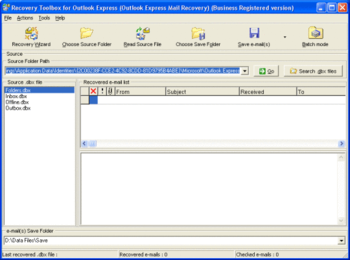
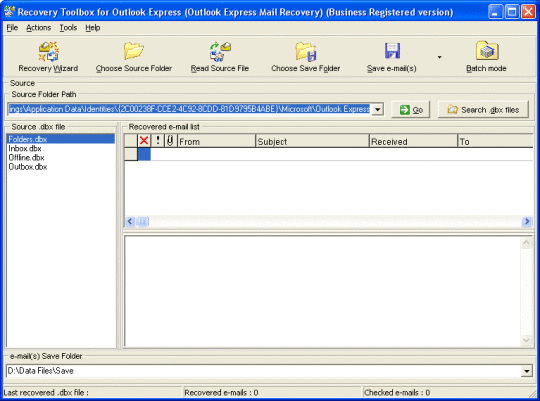
OE Recovery Free is the easiest e-mail recovery service you may find, this program parses corrupted documents of dbx format used by this application and converts the data into clean and openable files with dbx extension that can be used in Outlook Express. The utility of oe recovery can be used on virtually all computers using all supported versions of Outlook Express email client, the usage of oe dbx recovery tool is possible on any PC, it is so easy that you can restore Outlook Express files without the usage of expensive data recovery services by following the directions of this program. It is not really complicated, you can do it without instructions and extra guides. Thanks to the absence of compatibility issues, you may start the download of oe recovery tool dbx regardless the software configuration in use, the efficiency of Recovery Toolbox for Outlook Express is not affected even on slower PC workstations. The installation of OE Recovery Free looks similar to other Windows programs, click the installer of OE Recovery Free and wait until the process is completed, it is all you should do. Click the shortcut of OE Recovery Free program when ready and follow the directions of OE Recovery Free. First of all you should select a file of dbx format to be opened. For this purpose you may look at the interface of oe recovery program and select a file of dbx format among the list of other documents, detected by this tool. As you see, there are several documents with dbx extension, available for analysis, these files are seen if you have not replaced the mailbox in question for any reason. Owing to the particularities of Outlook Express, you may start the analysis of all folders separately by clicking appropriate documents, detected by this application. As for the rest there are no difficulties, just initiate the parsing of selected folder and wait for the end of Outlook Express recovery.



 Windows NT and above
 View Screenshots(1)
 Comments
 Download




 Similar Software


 Recently Searched
 Software Categories
 Trending Software
 Like Us

