


 Windows Vista and above
| Rate this software: | |
| 99 downloads | |
 View Screenshots(1)
 Comments
 Download




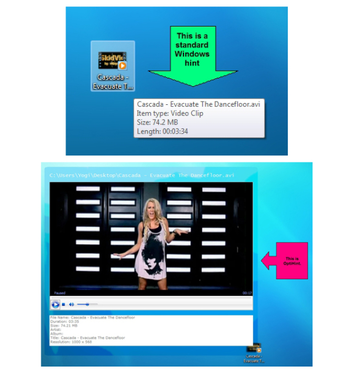
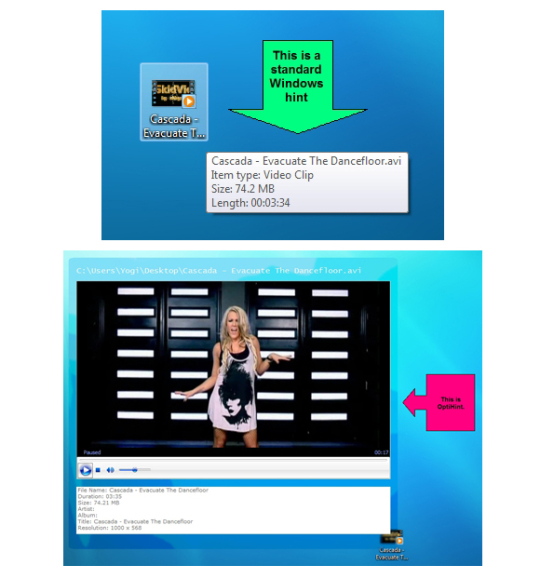
OptiHint enhances the standard windows shell hint or tooltip by providing a visual peek into the file under the user mouse. With OptiHint installed, theres no need to open each file and look inside. One mouse hover over the file in Windows explorer brings up all the major file information and content inside a visually appealing hint window.
Want to peek into files and folders without opening each one in a dedicated program? Want to cut down on the time spent loading and unloading files instead of viewing their content? Then OptiHint is the perfect solution youve been waiting for. OptiHint facilitates the viewing of content of 78 unique file types. You can easily peek into media files (audio, video, and images), text based and formatted files, archives, and even folders. OptiHint takes the standard Windows hint to the next level. Look at all the features of OptiHint and we think youll agree that OptiHint is such a necessary utility, it should have come standard with Windows. How does OptiHint differ from the standard Windows hint? OptiHint lets you see what is in each file and folder using a visually appealing user interface which can include the Aero transparent look.

| $9.99 | Click the link to buy | Buy |
 Similar Software


 Recently Searched
 Software Categories
 Trending Software
 Like Us

Free Windows software, games, themes and wallpapers with direct download links since 2011.


