Works on: Windows 10 | Windows 8.1 | Windows 8 | Windows 7 | Windows 2003 | Windows 2008 | Windows Vista | Windows 2012 SHA1 Hash: 2b9a2c127c0345f3a0806ff1e4924941b9d675bf Size: 14.01 MB File Format: zip
Rating: 2.3
out of 5
based on 23 user ratings
Downloads: 1304 License: Free
PandaBank is a free software by Pandacoin and works on Windows 10, Windows 8.1, Windows 8, Windows 7, Windows 2003, Windows 2008, Windows Vista, Windows 2012.
You can download PandaBank which is 14.01 MB in size and belongs to the software category Personal Finance. PandaBank was released on 2014-10-01 and last updated on our database on 2017-04-26 and is currently at version 2.1.
Thank you for downloading from SoftPaz! Your download should start any moment now. It would be great if you could rate and share:
Rate this software:
Share in your network:
PandaBank Description
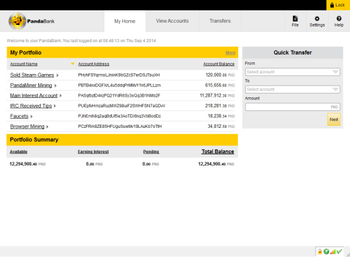
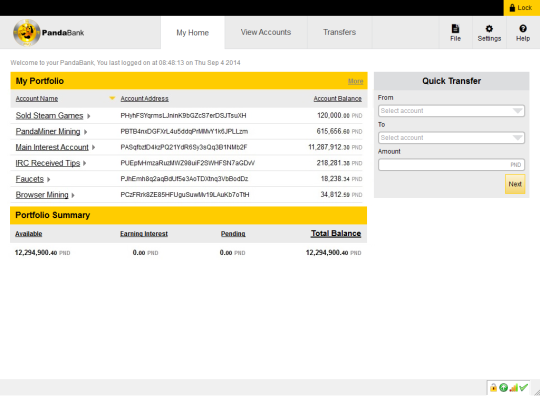
Get started with the secure and easy to use PandaBank, and start earning 2.5% annual interest on your Pandacoins. PandaBank is the worlds first main storage of cryptocurrency designed with a familiar internet banking interface and functionalities.Password on Login and Transfers.If you share your computer or laptop with other people, you can rest easy knowing that your Pandacoins are safe by requiring a password to login to your PandaBank and when transfers are made.Its Easy Creating New Pandacoin Accounts.To store your Pandacoins, you must create a new Pandacoin Account with a supplied Pandacoin Account Address. Simply decide what to call the new Pandacoin Account (ie John Smith Mining), press create and you can transfer your Pandacoins to your brand new account!Track Individual Account Balances and Transaction History.PandaBank is designed so that you can open different PandaBank Accounts and easily track and view each individual account balances and transaction history. It functions similarly to how you would expect cryptocurrency banking to work.Send Pandacoins Fast Using Quick Transfer.You can conveniently send Pandacoins across the globe in just minutes by using the Quick Transfer function that is on the default My home page. All you have to do is select the Pandacoin Account to send Pandacoins from, select the Pandacoin Account that you have saved on your address book to send Pandacoins to, and press Next.Track How Much Interest You Have Earned on each Individual Account.You can easily track the total amount of interest that you have accrued on each individual account. Great to keep track of your 2.5% annual interest progress over time.



 Windows 2003 and above
 View Screenshots(1)
 Comments
 Download




 Similar Software


 Software Categories
 Trending Software


 Like Us

 Recently Searched