Works on: Windows 10 | Windows 8.1 | Windows 8 | Windows 7 | Windows XP | Windows 2000 | Windows 2003 | Windows 2008 | Windows Vista | Windows 2012 SHA1 Hash: e7623c98a25c2f519288fcc2f07d7c89f3e9be04 Size: 7.1 MB File Format: exe
Rating: 2.5
out of 5
based on 23 user ratings
Publisher Website: External Link Downloads: 477 License: Free
Partition Guru Free is a free software by Partitionguru and works on Windows 10, Windows 8.1, Windows 8, Windows 7, Windows XP, Windows 2000, Windows 2003, Windows 2008, Windows Vista, Windows 2012.
You can download Partition Guru Free which is 7.1 MB in size and belongs to the software category Backup and Recovery. Partition Guru Free was released on 2012-07-03 and last updated on our database on 2017-06-14 and is currently at version 3.8.
Thank you for downloading from SoftPaz! Your download should start any moment now. It would be great if you could rate and share:
Rate this software:
Share in your network:
Partition Guru Free Description
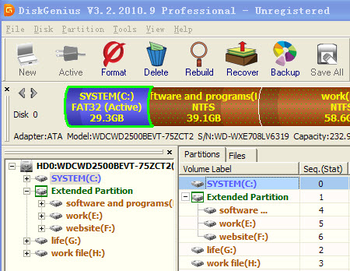
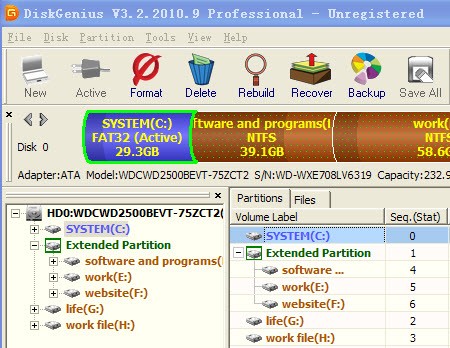
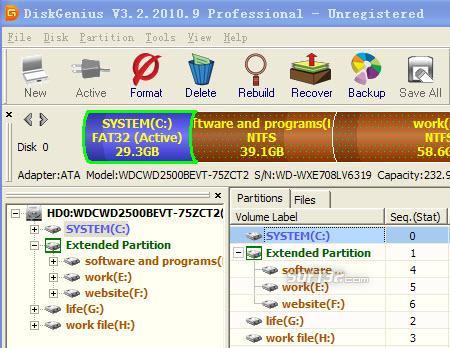
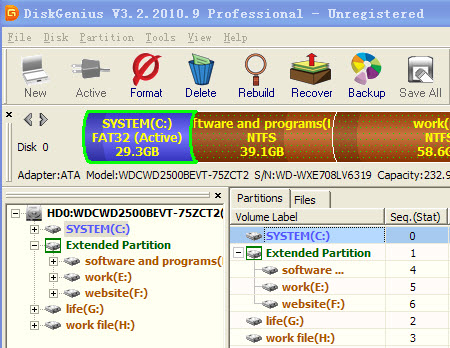
PartitionGuru is a partition management and data recovery software. In addition to partition management functions such as creating, deleting, formatting partitions, it also provides more powerful functions like recovering lost files, recovering lost partitions, clone partition to image file, partition clone, disk clone, quick partition etc. It support IDE, SCSI, RAID, USB, storage card and even VMware, Virtual PC and VirtualBox virtual disk files.
It is featured with the following abilities.
Recover lost partitions is one of the major function of PartitionGuru software. The "recover deleted partition" operation is visual, flexible and comprehensive. When a lost partition is found, all attributes of the partition include all files in it will be displayed immediately. You can check the size and the type of the partition and even you can browse all files and folders to check whether the partition is just the lost one. The panel on the bottom right of the mainframe window is a thumbnail window. It can display the data of each file in hex format, and a thumbnail of the image or text file. All these characters are based on the condition that the partition table is not saved to disk!
Recover deleted Files or recover files from inaccessible partition is another major function of PartitionGuru software. In many cases, a partition may become inaccessible and all files in it are lost. For example, a partition may be accidentally formatted
Rebuild MBR - Partition Guru is able to rebuild MBR to fix your disk errors.
Partition Management - Partition Guru let you format partition, and with more disk management functions like convert partition from primary to logical, covert partition from active to inactive, set partition from inactive to active.
Partition backup - Partition Guru can back up your partition by making an partition image and let you restore your partition by restore the partition image.



 Windows XP and above
 View Screenshots(3)
 Comments
 Download




 Similar Software


 Recently Searched
 Software Categories
 Trending Software

 Like Us

