Works on: Windows 10 | Windows 8.1 | Windows 8 | Windows 7 | Windows XP | Windows 2000 | Windows 2003 | Windows 2008 | Windows Vista | Windows 2012 SHA1 Hash: db6070019a59b84460512920d8dfa9aa46da56f4 Size: 10.75 MB File Format: exe
Rating: 1.7
out of 5
based on 23 user ratings
Publisher Website: External Link Downloads: 1228 License: Demo / Trial Version
PDFSnap 2 Standard is a demo software by Hanspark Software and works on Windows 10, Windows 8.1, Windows 8, Windows 7, Windows XP, Windows 2000, Windows 2003, Windows 2008, Windows Vista, Windows 2012.
You can download PDFSnap 2 Standard which is 10.75 MB in size and belongs to the software category PDF. PDFSnap 2 Standard was released on 2010-05-31 and last updated on our database on 2017-04-22 and is currently at version 2.
Thank you for downloading from SoftPaz! Your download should start any moment now. It would be great if you could rate and share:
Rate this software:
Share in your network:
PDFSnap 2 Standard Description
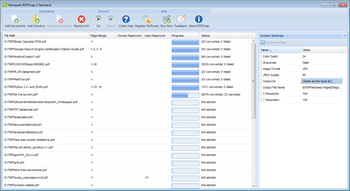
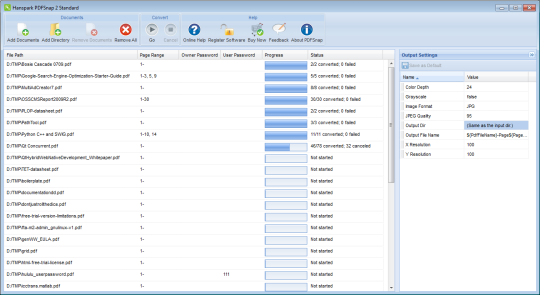
3 steps to convert PDF to image with PDFSnap 2 Standard: Step 1: Use the add files button or add directory button to select PDF files. Step 2: Modify conversion settings in the right column. Step 3: Click the go button to start the conversion. Features: Convert PDF files to JPG, JPEG, TIFF, BMP and PNG images. Support Password Protected PDF file conversion. Specify any resolution from 10 to 1200 dpi in the generated image files. Extract a page range from an existing PDF file to image files. Support several compression method of Tiff images: LZW, PACKBITS, GROUP4, GROUP3. Convert PDF files to Fax compatible Tiff files. Produce multipage Tiff files. Support all languages, including English, German, Dutch, French, Italian, Norwegian, Portuguese, Russian, Spanish, Swedish, Chinese, Japanese, Korean, etc. Support conversion into 1, 8, 24 or 32-bit or 8-bit grayscale format. Do not require Adobe Acrobat or Reader. Trial Version Limitation: will only convert 3 pages of each pdf document.
Where to buy?
Last updated price and discount information 9 years agoupdate now



 Windows XP and above
 View Screenshots(1)
 Comments
 Download





 Similar Software


 Recently Searched
 Software Categories
 Trending Software
 Like Us


