Works on: Windows 10 | Windows 8.1 | Windows 8 | Windows 7 | Windows XP | Windows 2000 | Windows 2003 | Windows 2008 | Windows Vista | Windows 2012 SHA1 Hash: a982c28035109dce0f3ac1aff3882ec7de0537c4 Size: 3.63 MB File Format: msi
Rating: 2.2
out of 5
based on 23 user ratings
Downloads: 256 License: Free
Photohive for Windows is a free software by SilkenMermaid and works on Windows 10, Windows 8.1, Windows 8, Windows 7, Windows XP, Windows 2000, Windows 2003, Windows 2008, Windows Vista, Windows 2012.
You can download Photohive for Windows which is 3.63 MB in size and belongs to the software category Graphic. Photohive for Windows was released on 2013-04-08 and last updated on our database on 2017-04-25 and is currently at version 1.
Thank you for downloading from SoftPaz! Your download should start any moment now. It would be great if you could rate and share:
Rate this software:
Share in your network:
Photohive for Windows Description
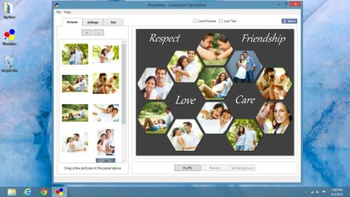
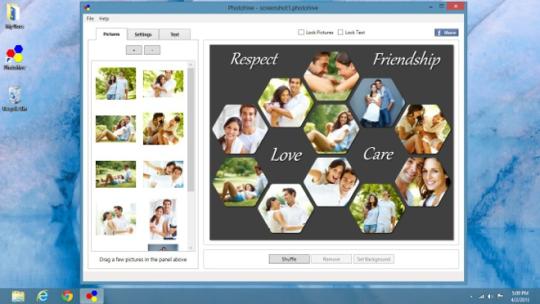
Photohive for Windows helps to arrange photos in beehive pattern to create amazing collages on your Windows PC. Simply start by adding a few pictures to your collage. Select from a range of aspect ratios. Select Landscape or Portrait orientation. Exchange pictures by dragging one picture on another. Add text to your collage. Shuffle the collage to get another exciting layout. Pan and zoom individual pictures within their frames so that they are positioned just as you wish. With an intuitive interface, Photohive gives you complete control over your collage design.



 Windows XP and above
 View Screenshots(1)
 Comments
 Download




 Similar Software


 Recently Searched
 Software Categories
 Trending Software

 Like Us


