


 Windows XP and above
| Rate this software: | |
| 133 downloads | |
 View Screenshots(3)
 Comments
 Download




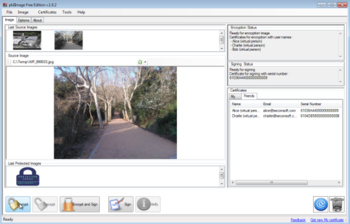
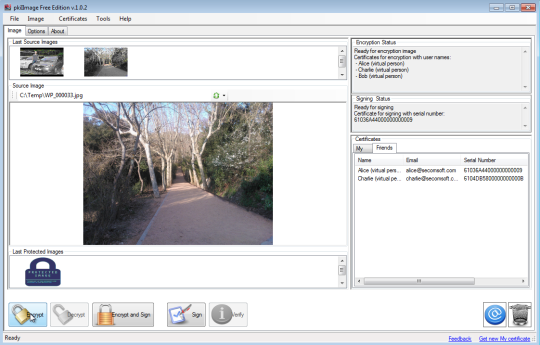
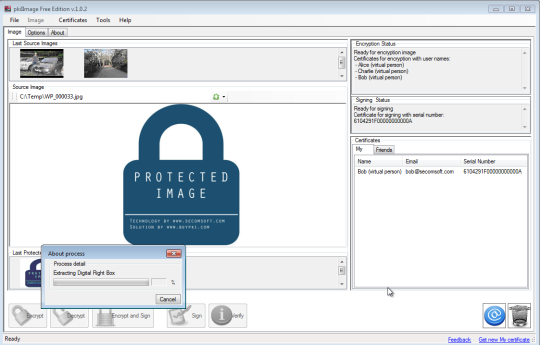
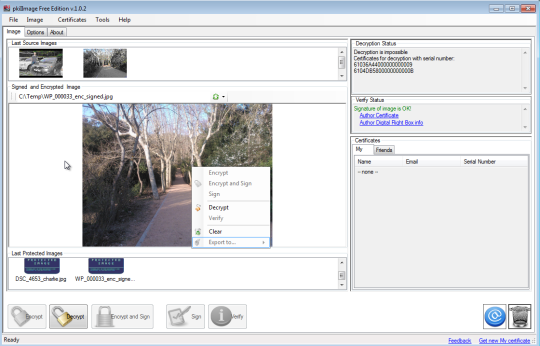
Using this software you can:- encrypt images for your friends and be sure that nobody except will see it- decrypt images from your friends- digitally sign images thus protecting your authorship of the image- block export capabilities thus leaving only possibility for friends to view (and not to save) an image
This software operates only with X.509 certificates. You can find demo certificates in /certs folder. Please read Quick Start Guide to see how to run this software to verify its functionality.
To fully test the potential software try the following recommendation:To properly test this you need to set-up three Virtual machines:VM#1-install Alices .pfx,VM#2 - install Bobs .pfx,VM#3 - install Charlie .pfx.And install all .cer files on all three Virtual Machines.
Thus you can emulate three computers and test image encryption/decryption process correctly.
This software operates only with X.509 certificates. You can find demo certificates in /certs folder. Please read Quick Start Guide to see how to run this software to verify its functionality. Or you can checking our demo video here: http://youtu.be/m5vtF6li6Lk
All demo certificates are in /certs folder and password to PFX files is: test.
 Similar Software


 Recently Searched
 Software Categories
 Trending Software

 Like Us

Free Windows software, games, themes and wallpapers with direct download links since 2011.

