Version: 10.12 Last Updated: 23 Apr 2017 Release: 19 Jul 2011 Category: System > File Management
Rate this software:
151 downloads
View Screenshots(1)
Comments
Download
Liked it? Tell others:
PopRummer Pro Details
Works on: Windows 10 | Windows 8.1 | Windows 8 | Windows 7 | Windows XP | Windows 2000 | Windows 2003 | Windows 2008 | Windows Vista | Windows 2012 SHA1 Hash: 45735ea3ac365586b0e08648498572fd8332f083 Size: 2.72 MB File Format: exe
Rating: 2.6
out of 5
based on 23 user ratings
Publisher Website: External Link Downloads: 151 License: Demo / Trial Version
PopRummer Pro is a demo software by PopRummer Software and works on Windows 10, Windows 8.1, Windows 8, Windows 7, Windows XP, Windows 2000, Windows 2003, Windows 2008, Windows Vista, Windows 2012.
You can download PopRummer Pro which is 2.72 MB in size and belongs to the software category File Management. PopRummer Pro was released on 2011-07-19 and last updated on our database on 2017-04-23 and is currently at version 10.12.
Thank you for downloading from SoftPaz! Your download should start any moment now. It would be great if you could rate and share:
Rate this software:
Share in your network:
PopRummer Pro Description
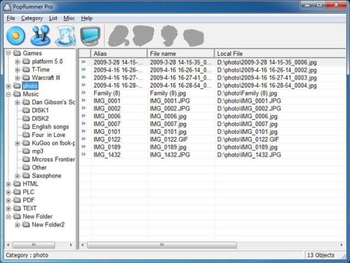
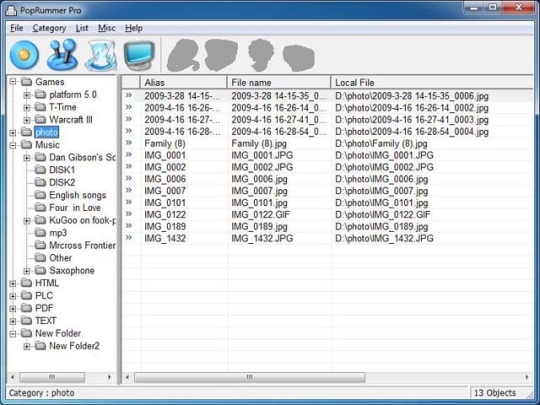
PopRummer Pro is a simple and useful file management software. It is supported by the Windows file management. The software can put the files of the hard disk together to a clear and visualized interface, just like making the catalog for a book.It is a deep file management application that does many things well. PopRummer Pro is the Swiss Army Knife of file managers.Here are some key features of "PopRummer Pro": Optimize the system resource Set an alias for the imported file Support unlimited categories Multiple language support Comment view panel, custom columns, enhanced search function Quick View panel with bitmap display Support Drag & Drop with Explorer/the Desktop etc. File from Clipboard can be copied into the application Wipe file operation is supported Directories can be Dragged & Drop Directory list can be made Search for file contents (text) is possible Several layouts can be saved Using the clipboard or dialog box to import multiple filesRequirements: 128 MB RAM, 300 MHz Pentium or faster processor, 100 MB available disk space, High-color (thousands or millions of colors) resolution of 800x600 or greater.Limitations: 30-day trial
Where to buy?
Last updated price and discount information 9 years agoupdate now



 Windows 2000 and above
 View Screenshots(1)
 Comments
 Download





 Similar Software


 Recently Searched
 Software Categories
 Trending Software
 Like Us


