Version: 1 Last Updated: 26 Apr 2017 Release: 10 Mar 2014 Category: Business
Rate this software:
1191 downloads
View Screenshots(4)
Comments
Download
Liked it? Tell others:
PowerAgenda Details
Works on: Windows 10 | Windows 8.1 | Windows 8 | Windows 7 | Windows XP | Windows 2000 | Windows 2003 | Windows 2008 | Windows Vista | Windows 2012 SHA1 Hash: 53fc03c7945f56b0d673e0dd5eb671dfe84b42c9 Size: 1.96 MB File Format: zip
Rating: 2.3
out of 5
based on 23 user ratings
Publisher Website: External Link Downloads: 1191 License: Demo / Trial Version
PowerAgenda is a demo software by Red Ocean and works on Windows 10, Windows 8.1, Windows 8, Windows 7, Windows XP, Windows 2000, Windows 2003, Windows 2008, Windows Vista, Windows 2012.
You can download PowerAgenda which is 1.96 MB in size and belongs to the software category Business. PowerAgenda was released on 2014-03-10 and last updated on our database on 2017-04-26 and is currently at version 1.
Thank you for downloading from SoftPaz! Your download should start any moment now. It would be great if you could rate and share:
Rate this software:
Share in your network:
PowerAgenda Description
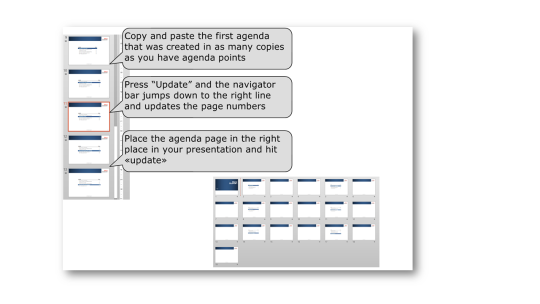
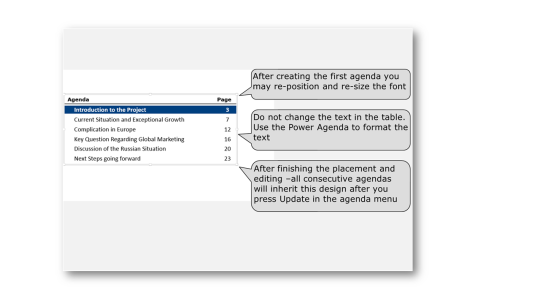
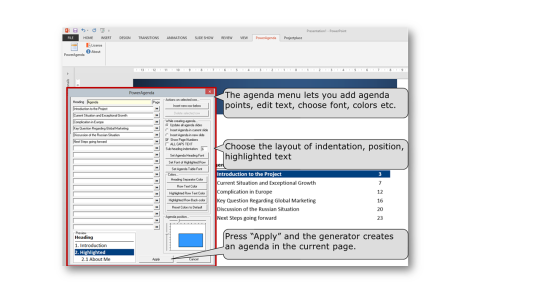
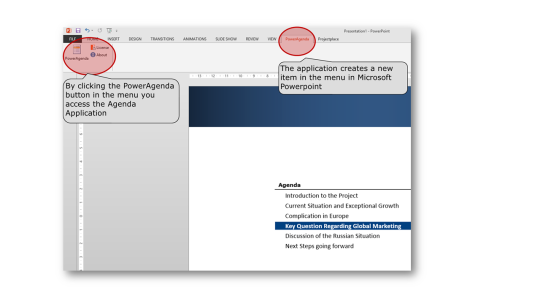
PowerAgenda is used by top tier consulting firms and business professionals. PowerAgenda is an PowerPoint add-in for the professional PowerPoint user. Create agenda slides in less than 30 Seconds and update up to 20 agenda slides in less than 10 Seconds. Download a free trial for 30 days. With PowerAgenda you can create and update all agenda slides from 1 table. Page number per agenda slides are automatically updated as well as font size and colors.
Whats new in this version:
Minor bug fix for adjustment the position of the agenda slides.
Where to buy?
Last updated price and discount information 9 years agoupdate now



 View Screenshots(4)
 Comments
 Download





 Similar Software

 Recently Searched
 Software Categories
 Trending Software
 Like Us

 Windows XP and above


