Works on: Windows 10 | Windows 8.1 | Windows 8 | Windows 7 | Windows XP | Windows 2000 | Windows 2003 | Windows 2008 | Windows Vista | Windows 2012 SHA1 Hash: 8f4dcc1ba71cb8aef32c6d80af7f84c37a2694c6 Size: 2.12 MB File Format: msi
Rating: 2.4
out of 5
based on 23 user ratings
Publisher Website: External Link Downloads: 236 License: Demo / Trial Version
QB-WIP is a demo software by Multi-SWAC and works on Windows 10, Windows 8.1, Windows 8, Windows 7, Windows XP, Windows 2000, Windows 2003, Windows 2008, Windows Vista, Windows 2012.
You can download QB-WIP which is 2.12 MB in size and belongs to the software category Customer Management. QB-WIP was released on 2012-09-13 and last updated on our database on 2017-04-24 and is currently at version 2.
Thank you for downloading from SoftPaz! Your download should start any moment now. It would be great if you could rate and share:
Rate this software:
Share in your network:
QB-WIP Description
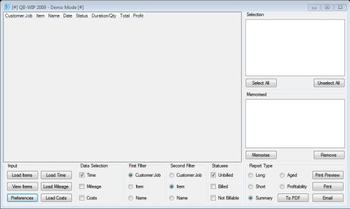
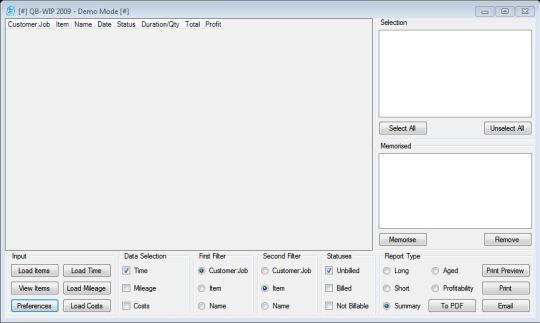
QB-WIP is a utility enables printing of time, mileage, and costs together as well as the $ value onto various reports. A job profitability report is available which utilizes the time and costs reports to show profitability on a line by line as well as an overall basis. Available reports are aged work in progress report, summarized work in progress report, detailed work in progress report - jobs not on separated pages, detailed work in progress report - each job on a separate page, and profitability report. Information to be printed can be selected using one or more of the following billable statuses: unbilled time, billed time, and not billable time. It also supports two levels of sorting based upon: customer: Job, item, and name.



 Windows XP and above
 View Screenshots(1)
 Comments
 Download




 Similar Software


 Recently Searched
 Software Categories
 Trending Software


 Like Us
