Version: 1 Last Updated: 14 Jun 2017 Release: 21 Oct 2003 Category: Internet
Rate this software:
1202 downloads
View Screenshots(3)
Comments
Download
Liked it? Tell others:
QIC Webfotoalbum Details
Works on: Windows 10 | Windows 8.1 | Windows 8 | Windows 7 | Windows XP | Windows 2000 | Windows 2003 | Windows 2008 | Windows 98 | Windows ME | Windows Vista | Windows 2012 SHA1 Hash: a76ed404893a2539ab5778087bd96445e6c9c118 Size: 9.68 MB File Format: exe
Rating: 2.0
out of 5
based on 23 user ratings
Publisher Website: External Link Downloads: 1202 License: Demo / Trial Version
QIC Webfotoalbum is a demo software by Qic Ltd and works on Windows 10, Windows 8.1, Windows 8, Windows 7, Windows XP, Windows 2000, Windows 2003, Windows 2008, Windows 98, Windows ME, Windows Vista, Windows 2012.
You can download QIC Webfotoalbum which is 9.68 MB in size and belongs to the software category Internet. QIC Webfotoalbum was released on 2003-10-21 and last updated on our database on 2017-06-14 and is currently at version 1.
Thank you for downloading from SoftPaz! Your download should start any moment now. It would be great if you could rate and share:
Rate this software:
Share in your network:
QIC Webfotoalbum Description
From your digital camera to the internet within 5 minutes!
Present your images to friends and relatives on the internet in the easiest way with QIC Webfotoalbum! QIC Webfotoalbum creates an HTML photo gallery from image files (JPEG, BMP, TIFF, PCX...) and uploads the gallery to any internet server.
Create an album, import your pictures, publish - done!
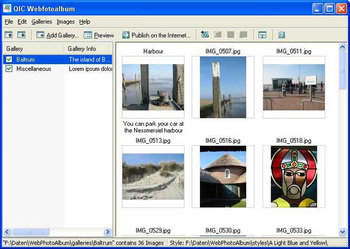
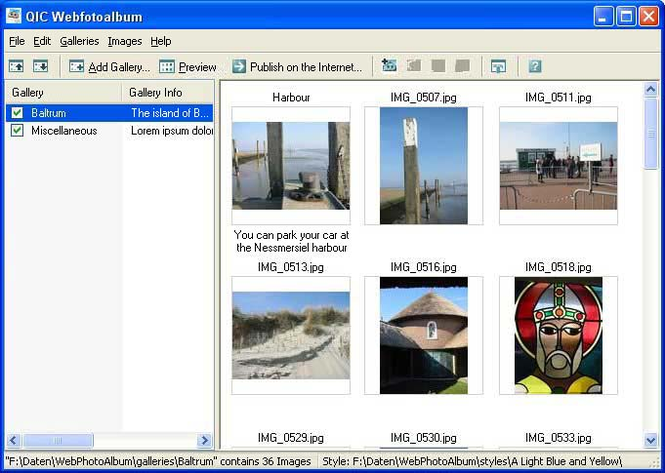
Create a new gallery and drag and drop single photos or a complete image folder with your mouse to the software. QIC Webfotoalbum creates a completely designed photo gallery with small thumbnail images from these images or creates an automatic slide show for publishing on the internet or on CD-ROM. You can also enter short and long descriptions for any of your images.
Features:
- Create and administrate as many photo galleries as you wish with a simple mouse click.
- Add as many photos per album as you wish
- Easy importing of pictures with drag and drop
- Import single photos or complete folders
- Intelligent built in FTP client uploads only changed files
- Import complete subdirectories
- Automatic thumbnail creation
- Automatic slideshow
- Full screen slideshow with transition effects
- Selectable image format for images and thumbnails
- Automatic image size conversion without quality loss
- Import various different image formats (BMP, JPG, TIFF, PCX etc.) with automatic conversion to the JPEG file format.
- Build in Image editor with functions for contrast, sharpening etc.
- Very easy usage
- Smart functions to publish your photo galleries
- Various different styles for your photo galleries
- Easyly adjust the styles to match your design needs
- Sending pictures as postcards
- Publish as CD Photo album on an autostart CD-ROM
Where to buy?
Last updated price and discount information 9 years agoupdate now



 View Screenshots(3)
 Comments
 Download





 Similar Software


 Recently Searched
 Software Categories
 Trending Software


 Like Us

 Windows 98 and above