Works on: Windows 10 | Windows 8.1 | Windows 8 | Windows 7 | Windows 2012 SHA1 Hash: a39a7df155206b851e9370bec999a0fcf94e7eed Size: 8.16 MB File Format: exe
Rating: 2.2
out of 5
based on 23 user ratings
Publisher Website: External Link Downloads: 1159 License: Demo / Trial Version
Qimage Ultimate is a demo software by ddisoftware and works on Windows 10, Windows 8.1, Windows 8, Windows 7, Windows 2012.
You can download Qimage Ultimate which is 8.16 MB in size and belongs to the software category Cover editors. Qimage Ultimate was released on 2013-07-01 and last updated on our database on 2017-04-26 and is currently at version 2013.125.
Thank you for downloading from SoftPaz! Your download should start any moment now. It would be great if you could rate and share:
Rate this software:
Share in your network:
Qimage Ultimate Description
Qimage Ultimate is the most advanced photo printing software. Continuing the Qimage legacy that has seen more than a decade of experience and innovation in photographic printing, it is the most frequently recommended photo printing software on the web. Used by everyone from casual shooters to professional photographers and studios, Qimage Ultimate is for people who recognize the importance of quality when it comes to photographic prints as they are the culmination of your efforts behind the lens.
Uncompromising in its quality and control, Qimage Ultimate combines incredible power and performance with a purpose built interface designed specifically for photo printing. Once you see how easy it is to fly through print jobs, sizing on the fly, refining and correcting photos (even raw photos and 3D photos) as you go, youll wonder why the other tools make it so difficult.
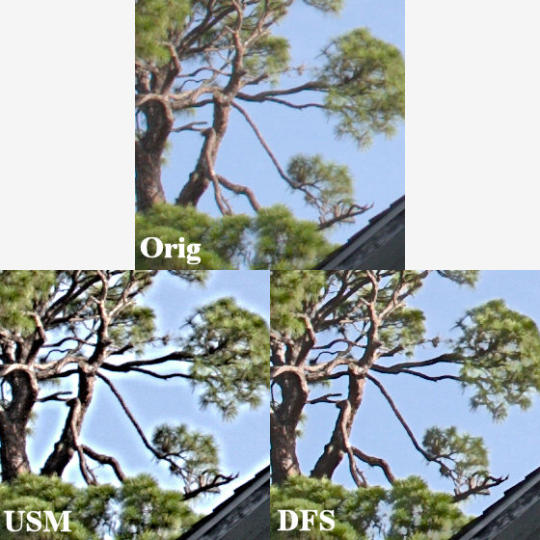
Whether you print your own photos or you are prepping photos to be printed online or in-store, you need Qimage Ultimate to ensure that the end result of your efforts is the best it can be. Qimage Ultimate offers everything you need to go from the photos on your flash card all the way to print, including powerful raw photo tools, editing tools, job logging, custom layout creation, full ICC aware color management, ability to print larger than your driver will allow, even HDR, exclusive tone targeted selective sharpening, and much more so be sure to check the menu at the top of this page to explore.
Where to buy?
Last updated price and discount information 9 years agoupdate now



 Windows 7 and above
 View Screenshots(1)
 Comments
 Download





 Recently Searched
 Software Categories
 Trending Software

 Like Us

 Similar Software


