Works on: Windows 10 | Windows 8.1 | Windows 8 | Windows 7 | Windows XP | Windows 2000 | Windows 2003 | Windows 2008 | Windows Vista | Windows 2012 SHA1 Hash: b39f687f3b9e5501cbff1490a4ba5b5c30c332b7 Size: 791.55 KB File Format: exe
Rating: 2.5
out of 5
based on 23 user ratings
Downloads: 210 License: Free
Re-Enable is a free software by Tangosoft and works on Windows 10, Windows 8.1, Windows 8, Windows 7, Windows XP, Windows 2000, Windows 2003, Windows 2008, Windows Vista, Windows 2012.
You can download Re-Enable which is 791.55 KB in size and belongs to the software category Hard Disk and CD DVD BluRay Utilities. Re-Enable was released on 2011-09-01 and last updated on our database on 2017-04-23 and is currently at version 2.
Thank you for downloading from SoftPaz! Your download should start any moment now. It would be great if you could rate and share:
Rate this software:
Share in your network:
Re-Enable Description
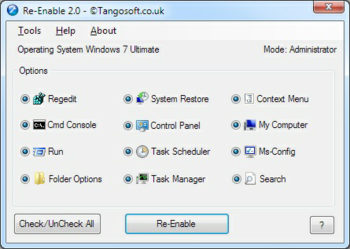
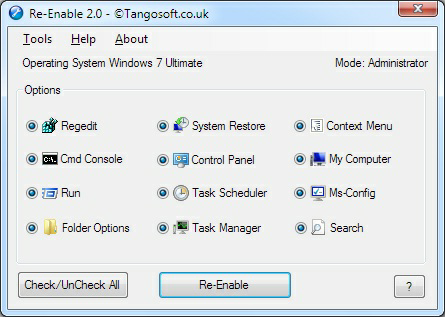
Re-Enable regedit, command console "cmd", task manager, system restore and folder options after been disabled by a virus. Often times, viruses or malware will disable Windows features, and even after removing the virus these Windows utilities will remain disabled. This is where the program Re-Enable comes in handy. Re-Enable Portable is a handy tool that will re enable registry editing. The program has the ability to restore functionality to these Windows features: Windows Registry; Command Line Tool; Windows Task Manager; System Restore Config; Folder Options; Run command; My Computer; Task Scheduler; Right Click Context menu; Ms-Config (Xp only); Control Panel; Search. All in one Click! - Re-Enable also includes a tool menu where you can Scan Edit Delete Autorun.inf files, Repair Desktop icons and background, Edit Hosts, Services, Network, Protocols files, Reset File and Folder Attributes, Repair Explorer.exe Startup problem, unhide hidden drives, Repair Safe mode also Repair Ntldr if F8 safe mode menu is disabled, also launch Gpedit.msc, Task manager, Regedit and Msconfig. All this in one tool without messing around with scripts or third party registry editors. Give Re-Enable a try to see what its really capable of.



 Windows XP and above
 View Screenshots(1)
 Comments
 Download




 Similar Software


 Recently Searched
 Software Categories
 Trending Software
 Like Us


