Works on: Windows 10 | Windows 8.1 | Windows 8 | Windows 7 | Windows XP | Windows 2000 | Windows 2003 | Windows 2008 | Windows Vista | Windows 2012 SHA1 Hash: e2b28f6f8a6c7c3bcce7946e62d1cb32db4189ba Size: 34.39 KB File Format: zip
Rating: 2.3
out of 5
based on 23 user ratings
Downloads: 129 License: Free
RedMowse is a free software by FreshDesign and works on Windows 10, Windows 8.1, Windows 8, Windows 7, Windows XP, Windows 2000, Windows 2003, Windows 2008, Windows Vista, Windows 2012.
You can download RedMowse which is 34.39 KB in size and belongs to the software category Backup and Recovery. RedMowse was released on 2012-06-18 and last updated on our database on 2017-04-24 and is currently at version 1.
Thank you for downloading from SoftPaz! Your download should start any moment now. It would be great if you could rate and share:
Rate this software:
Share in your network:
RedMowse Description
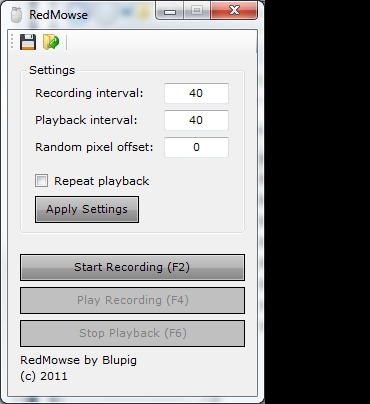
RedMowse has a couple settings for advanced users:- Recording interval: How often the software records and stores a coordinate during recording.- Playback interval: The speed at which a coordinate is played back during playback. The two interval options are useful for speeding up or slowing down previously recorded movements.- Random pixel offset: The mouse will click and move to coordinates using an offset to randomize the actions slightly, depending on what the user enters. Typically used for games to avoid bans, and to simulate human movements.The user also has the option to save recordings for later use. They must save the list of X coordinates and the list of Y coordinates separately. This may sound daunting, but can be done with the click of just one button: the save button.Additionally, users can open previous recordings using the open button. Since recordings are saved in plain text files, users also have the option of going into a recording and changing a coordinate manually.



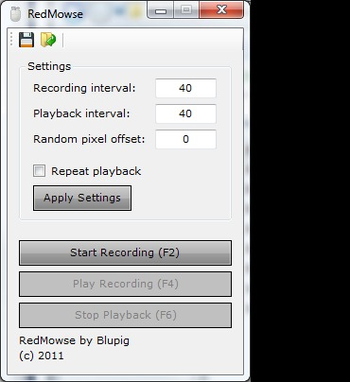
 Windows XP and above
 View Screenshots(1)
 Comments
 Download




 Similar Software


 Recently Searched
 Software Categories
 Trending Software
 Like Us


