

SanXfer icon

SanXfer

2 big stars
SanXfer screenshot
Name: SanXfer
Works on: windowsWindows XP and above
Developer: InQuinox
Version: 4
Last Updated: 26 Apr 2017
Release: 01 Nov 2013
Category: Desktop Enhancements
Rate this software:
147 downloads
screenshotsView Screenshots(1)
commentsComments
downloadDownload
Liked it? Tell others:
details

SanXfer Details

Works on: Windows 10 | Windows 8.1 | Windows 8 | Windows 7 | Windows XP | Windows 2000 | Windows 2003 | Windows 2008 | Windows Vista | Windows 2012
SHA1 Hash: 6d4b3329fa79c0d2a6428fd8b0058e258e4d5f86
Size: 775.42 MB
File Format: zip
Rating: 2.2 out of 5 based on 23 user ratings
Downloads: 147
License: Demo / Trial Version
SanXfer is a demo software by InQuinox and works on Windows 10, Windows 8.1, Windows 8, Windows 7, Windows XP, Windows 2000, Windows 2003, Windows 2008, Windows Vista, Windows 2012.
You can download SanXfer which is 775.42 MB in size and belongs to the software category Desktop Enhancements.
SanXfer was released on 2013-11-01 and last updated on our database on 2017-04-26 and is currently at version 4.
download button
Thank you for downloading from SoftPaz! Your download should start any moment now. It would be great if you could rate and share:
Rate this software:
Share in your network:
features

SanXfer Description

When selecting tools for mission critical datacenter solutions, flexibility is paramount. SanXfer gives you unparalleled flexibility when migrating Windows Servers from Physical to Virtual (P2V), Physical to Physical (P2P), V2P or V2V, allowing you to choose the optimal migration method for your infrastructure. SanXfer can directly migrate systems to high speed Fibre Channel disks, iSCSI disks, CIFS shares or to local attached disks over an IP network. With SanXfer, you have the flexibility to change the storage from which your systems boot and the type of machine (Physical or Virtual) which actually boots your systems. By supporting all major virtualization technologies, including VMware, Hyper-V and XenServer, SanXfer users are empowered to employ the tool which best meets their needs. SanXfer also simplifies the process of moving into or out of both public and private cloud infrastructures.

SanXfers Data TranXfer feature provides the ability to move data from one storage platform to another, regardless of the vendors involved, supporting both homogeneous and heterogeneous environments. Data TranXfer supports migrating between fiber channel LUNs, iSCSI LUNs, local disks, and CIFS shares, and can support multiple data transfer sessions per server.

Key Benefits of SanXfer:- Supports complete server migrations over Fibre Channel or IP networks. (10/100/1000 Ethernet, or WiFi a,g,n)- Allows users to replace a SAN booting server with any new hardware in minutes- Migrates local disks of existing servers into the SAN, onto iSCSI disks or to other local disks attached to different servers- Improves server recovery time at DR sites- Frees users from hardware lock-in, enabling storage sub-systems or servers to be replaced with equipment from different vendors- Provides in-flight encryption over IP networks- Supports high speed SAN data transfers, reducing traffic bottlenecks on production IP networks- Integrates with SanXfer Data TranXfer, providing a comprehensive solution for enterprise server and data migration- Offers rapid ROI and a consistent, repeatable approach to server workload migrations
screenshots

SanXfer Screenshots

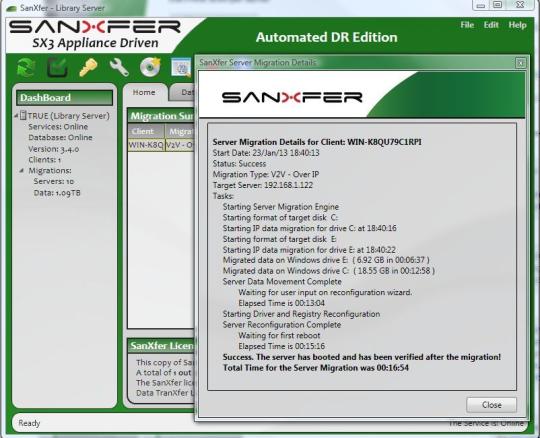
SanXfer screenshot 1
similarSimilar Software
iSuite icon
iSuite
v 1.4
free
JBLab Secure Notes icon
JBLab Secure Notes
v 2.4
non-free
O2 icon
O2
v 1
free
CPU Smiley icon
CPU Smiley
v 1
free
Meeting Timer Pro icon
Meeting Timer Pro
v 1.6
non-free
Chaos Manager icon
Chaos Manager
v 2.25
free
AutoScan Network icon
AutoScan Network
v 1.5
free
