Version: 5.4 Last Updated: 23 Apr 2017 Release: 23 Sep 2011 Category: Multimedia > Video
Rate this software:
102 downloads
View Screenshots(1)
Comments
Download
Liked it? Tell others:
ScreenClue Details
Works on: Windows 10 | Windows 8.1 | Windows 8 | Windows 7 | Windows XP | Windows 2000 | Windows 2003 | Windows 2008 | Windows Vista | Windows 2012 SHA1 Hash: 3309cbf8a8f55b0c5cc6dbe17cc3a3de0d315260 Size: 14.89 MB File Format: exe
Rating: 2.3
out of 5
based on 23 user ratings
Publisher Website: External Link Downloads: 102 License: Demo / Trial Version
ScreenClue is a demo software by Recorm and works on Windows 10, Windows 8.1, Windows 8, Windows 7, Windows XP, Windows 2000, Windows 2003, Windows 2008, Windows Vista, Windows 2012.
You can download ScreenClue which is 14.89 MB in size and belongs to the software category Video. ScreenClue was released on 2011-09-23 and last updated on our database on 2017-04-23 and is currently at version 5.4.
Thank you for downloading from SoftPaz! Your download should start any moment now. It would be great if you could rate and share:
Rate this software:
Share in your network:
ScreenClue Description
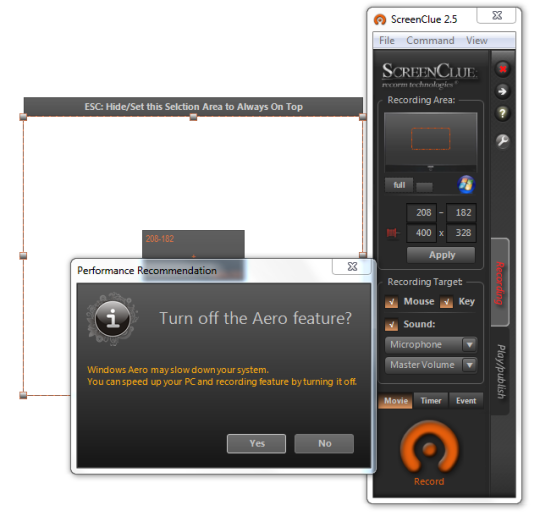
ScreenClue is the best high-performance screen recorder. ScreenClue can record anything on your screen as well as mouse movement, keyboard stroke, and sound. You can record your screen such as application usage tips or game playing with key stroke and mouse movement to share with others or teach them. And you can also record video movie played on your screen with high quality and high recording speed. ScreenClue support three recording methods: Normal Recording, Interval Recording, Event Recording. Normal Recording support recording frame you specify per second and Interval recording record periodically every time you set. Event Recording record only when mouse is moved or key is pressed. ScreenClue support only .WMV (Windows Media Video) as publishing output format to decrease price of this product. So we inform you some of free good encoding tool for you to convert to a file format you want. We will recommend you some good utility to use ScreenClue efficiently. ScreenClue customer will receive new update version with no payment for a year. Please compare ScreenClue with any other screen recording software you know to check if ScreenClue really have better performance.
Where to buy?
Last updated price and discount information 9 years agoupdate now



 Windows 2000 and above
 View Screenshots(1)
 Comments
 Download





 Similar Software


 Recently Searched
 Software Categories
 Trending Software


 Like Us

