Works on: Windows 10 | Windows 8.1 | Windows 8 | Windows 7 | Windows XP | Windows 2000 | Windows 2003 | Windows 2008 | Windows Vista | Windows 2012 SHA1 Hash: faa429b9a9551d54082d7833daf1be5af27cb4c2 Size: 1.42 MB File Format: msi
Rating: 1.7
out of 5
based on 23 user ratings
Publisher Website: External Link Downloads: 86 License: Demo / Trial Version
Securcorp AMMS is a demo software by Securcorp and works on Windows 10, Windows 8.1, Windows 8, Windows 7, Windows XP, Windows 2000, Windows 2003, Windows 2008, Windows Vista, Windows 2012.
You can download Securcorp AMMS which is 1.42 MB in size and belongs to the software category Project Management. Securcorp AMMS was released on 2009-05-27 and last updated on our database on 2017-04-21 and is currently at version 2.
Thank you for downloading from SoftPaz! Your download should start any moment now. It would be great if you could rate and share:
Rate this software:
Share in your network:
Securcorp AMMS Description
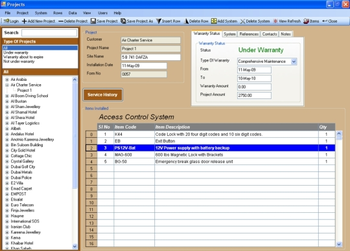
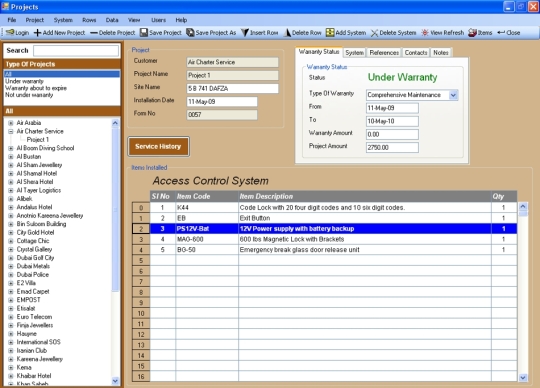
AMMS (Annual Maitenenace Management Software) can be used by any company which deals in the installation of products like computers, securtiy systems, telecommunication system, medical equipment or industrial equipment to name a few. With this software you can maintain the complete installation detailss of the projects or sites. It provides easy management of maintenance tasks. Each client can have multiple sites or projects. Easy to organise and search all customers and projects. Installation date and the type of warranty whether preventive maintenance or comprehensive maintenance for each project can be viewed. The warranty starting and ending dates can be known. Reference numbers like quotation, invoice and delivery order numbers can be known for any project. Also the project amount and the warranty amount can be seen. Contact details for any site is available making it easy to contact the person for maitenance renewal etc. The items installed can be devided into different systems. All the items details can be view ed for each system installed. At a glance you can view the list of systems installed for any project . Service history can be maintained for the project. The dates and the service provided details can be viewed by click of a button for any project. Projects or customers can be grouped or searched according to the warranty status. If you receive a complaint for any technical problem you can check whether that particular site is under warranty or not. For the sites or projects that are not under warranty you can contact the customers for maintenance contract renewal. You can also search projects whose warranty is about to expire so that you can contact them before the warranty expiry for renewal inorder to provide uninterrupted service.
Where to buy?
Last updated price and discount information 9 years agoupdate now



 Windows XP and above
 View Screenshots(1)
 Comments
 Download





 Similar Software


 Recently Searched
 Software Categories
 Trending Software
 Like Us


