Version: 1.1 Last Updated: 22 Apr 2017 Release: 22 Sep 2010 Category: System
Rate this software:
202 downloads
View Screenshots(1)
Comments
Download
Liked it? Tell others:
SerialPrinter Details
Works on: Windows 10 | Windows 8.1 | Windows 8 | Windows 7 | Windows XP | Windows 2000 | Windows 2003 | Windows 2008 | Windows 98 | Windows ME | Windows NT | Windows Vista | Windows 2012 SHA1 Hash: d9fcba3319989d5afdeae3eb54502e17660b3089 Size: 708.37 KB File Format: zip
Rating: 2.0
out of 5
based on 23 user ratings
Publisher Website: External Link Downloads: 202 License: Demo / Trial Version
SerialPrinter is a demo software by Unimation and works on Windows 10, Windows 8.1, Windows 8, Windows 7, Windows XP, Windows 2000, Windows 2003, Windows 2008, Windows 98, Windows ME, Windows NT, Windows Vista, Windows 2012.
You can download SerialPrinter which is 708.37 KB in size and belongs to the software category System. SerialPrinter was released on 2010-09-22 and last updated on our database on 2017-04-22 and is currently at version 1.1.
Thank you for downloading from SoftPaz! Your download should start any moment now. It would be great if you could rate and share:
Rate this software:
Share in your network:
SerialPrinter Description
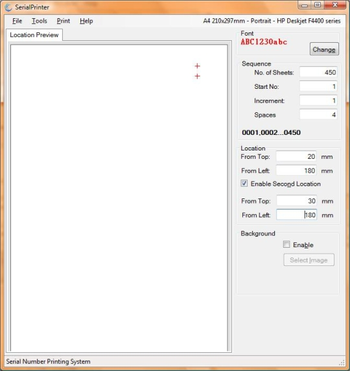
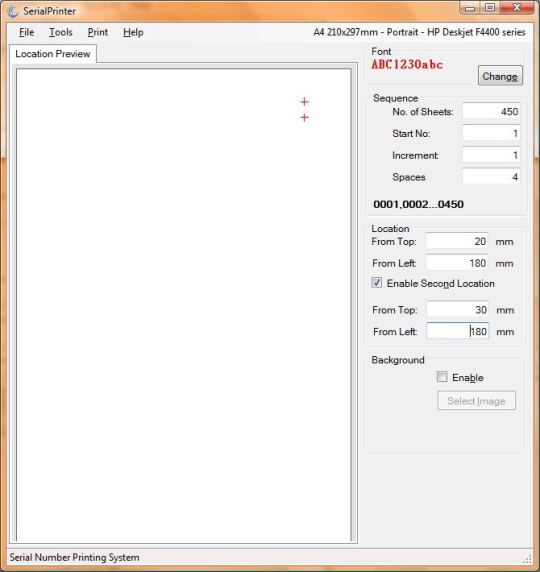
SerialPrinter helps you to print a series of numbers on one or two locations on your stack of documents. You can completely adjust the number sequence by the start number, value to increment after each sheet, total number of sheets and the leading zeros. The location can be specified in millimeters from top and left edges of the paper. A preview of the location is displayed in the location preview box with a plus mark. Date Printing Mode helps you print incrementing dates sequentially instead of numbers. You can select a start date and an end date, and also the number of days to be incremented after each print. The background image option helps you display an image of your document in the canvas background. This helps you locate the printing position visually. You can choose the font and color of the print. Another helpful feature is that you can save a customized sequence for opening later. Thus you can save your frequently used sequences in your computer and start printing them immediately. Help is provided along with the application. A unique installation ID is generated for each installation which is needed for generating the serial number for registration.
Where to buy?
Last updated price and discount information 9 years agoupdate now



 View Screenshots(1)
 Comments
 Download





 Similar Software


 Recently Searched
 Software Categories
 Trending Software
 Like Us

 Windows NT and above