Works on: Windows 10 | Windows 8.1 | Windows 8 | Windows 7 | Windows 2012 SHA1 Hash: cf075400e7993683329ce3c897411643a96d1856 Size: 2.03 KB File Format: zip
Rating: 2.5
out of 5
based on 23 user ratings
Publisher Website: External Link Downloads: 226 License: Demo / Trial Version
SetTilte Workflow is a demo software by Dimplesoftware and works on Windows 10, Windows 8.1, Windows 8, Windows 7, Windows 2012.
You can download SetTilte Workflow which is 2.03 KB in size and belongs to the software category Project Management. SetTilte Workflow was released on 2009-08-14 and last updated on our database on 2017-03-09 and is currently at version 1.
Thank you for downloading from SoftPaz! Your download should start any moment now. It would be great if you could rate and share:
Rate this software:
Share in your network:
SetTilte Workflow Description
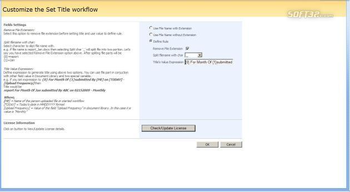
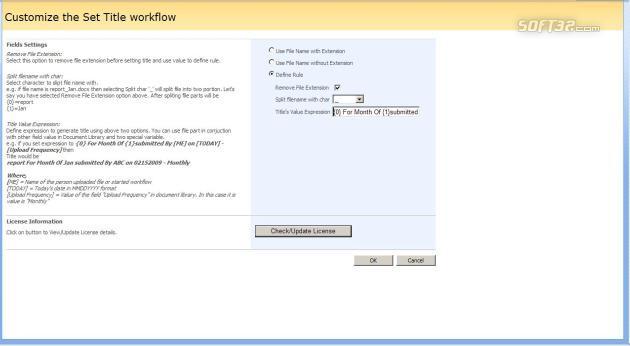
SharePoint Set Title is smart tool which Sets title of document automatically in SharePoint when the document is uploaded or modified. The workflow would be configured to initiate automatically when the file is created and would rename the Document title based on whatever rules you put in place. SharePoint Set Title provides a SharePoint workflow template to automatically set tile for documents when documents are uploaded or modified
Features
1 Supports WSS 3.0/MOSS 2007
SharePoint Set Title Supports WSS 3.0/MOSS 2007.
2 Auto Set Document Title
Automatically sets a SharePoint document title whatever file name you want to set.
3 Auto Set File Extension
Automatically sets the file extension in the title. Also you can set the rule if you want to change the extension.
4 Customizable
You can customize which title you want to set based on whatever rules you put in place. As for example if you want to set the file title with date created and also want to include other information, by defining the rules you can set the file title as you required when document is uploaded or modified. You can also set the rule, when you want to set the title. You can set the tile when file is uploaded or modified.
Benefits
1 Save time
SharePoint Set Title can help you to save time by completing boring work to set the title manually. Usually you’d like that the title of document is set automatically when you uploaded SharePoint document without inputting the title manually in SharePoint Document library. This is possible using Set Title Workflow based on whatever rules you put in place.
2 Affordable price
Here is wasting of time by every time setting the title. With the help of this workflow which is at affordable price, you can save your time by doing extra work.
3 Buy vs. Build Benefits
Cost Centre Build Component Buy Component Time Benefit Cost Benefit
Development 12 hrs 0.5 hr 11.5 hrs 11
Where to buy?
Last updated price and discount information 9 years agoupdate now



 Windows 7 and above
 View Screenshots(1)
 Comments
 Download





 Similar Software


 Recently Searched
 Software Categories
 Trending Software


 Like Us

