Works on: Windows 10 | Windows 8.1 | Windows 8 | Windows 7 | Windows XP | Windows 2000 | Windows 2003 | Windows 2008 | Windows Vista | Windows 2012 SHA1 Hash: 1c1c16454656586c7cd718313e75600e8d957b3b Size: 367.2 KB File Format: exe
Rating: 1.9
out of 5
based on 23 user ratings
Publisher Website: External Link Downloads: 180 License: Demo / Trial Version
ShellViewer is a demo software by Sannysoft and works on Windows 10, Windows 8.1, Windows 8, Windows 7, Windows XP, Windows 2000, Windows 2003, Windows 2008, Windows Vista, Windows 2012.
You can download ShellViewer which is 367.2 KB in size and belongs to the software category Image Editors Convertors Viewers. ShellViewer was released on 2005-07-20 and last updated on our database on 2017-03-09 and is currently at version 1.1.
Thank you for downloading from SoftPaz! Your download should start any moment now. It would be great if you could rate and share:
Rate this software:
Share in your network:
ShellViewer Description
Working with images, you often need to quickly preview them before performing certain actions.
Normal image viewers are not very helpful. You need to start a viewer, wait while it loads, and
then close it. The Windows Explorer Thumbnail View mode does show small image previews for all
images in a folder. But, it significantly slows down browsing and you see fewer files in a window.
Normally, you use a pop-up menu to perform most of these actions. Click on an image with the
right mouse button, and you'll get a list of available actions. It would be nice to see image
previews right there in the pop-up menu in addition to action items.
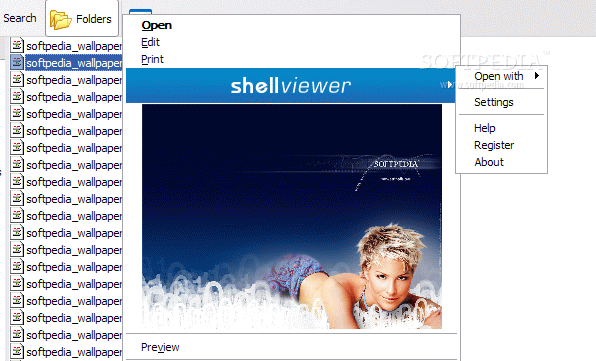
Shellviewer offers a new look at an old problem. The program inserts image previews into pop-up
menus. Just right click an image to perform operations on the image you are working with.
Shellviewer smoothly integrates into the Windows shell. It can be executed from anywhere with a
right mouse click, whether it's a normal Explorer window, Desktop or File Save/Open dialogs.
Shellviewer supports more than 30 image file formats. In addition to the image previews,
Shellviewer extracts additional textual information from graphic files. Most of the modern digital
cameras include information about camera characteristics, optical conditions and other parameters
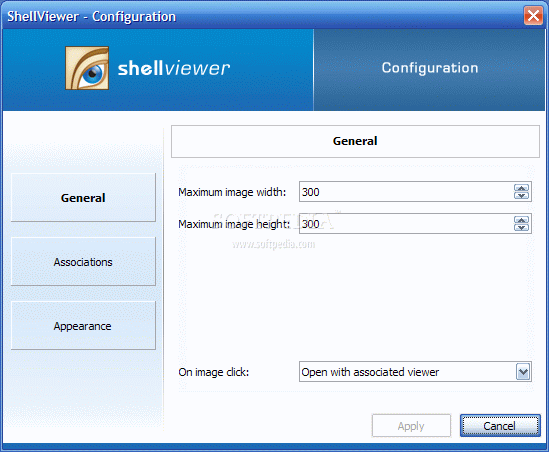
into every image. Shellviewer allows you to select parameters to show in pop-up menus.
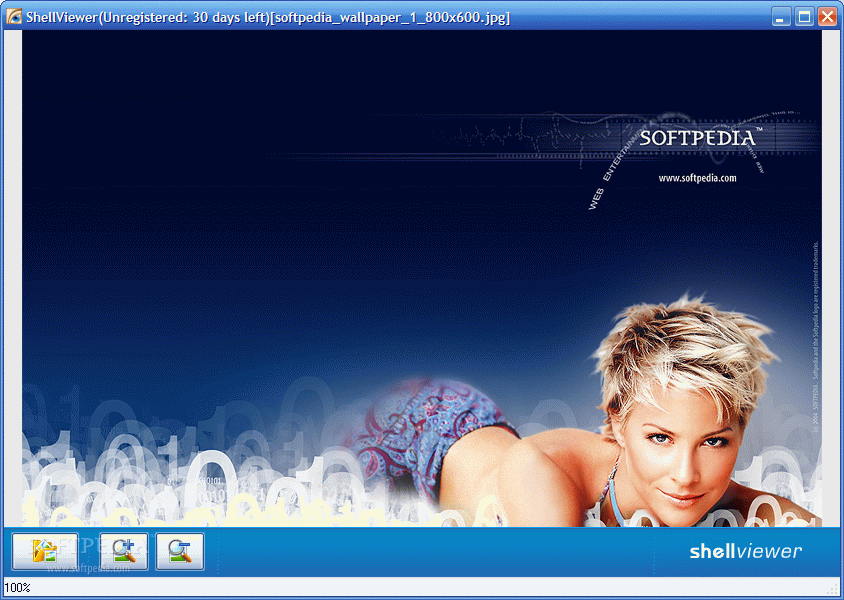
Shellviwer also includes a fast and easy-to-use image viewer that can be invoked in cases where
you need to see a larger image and to play with the zoom.
An innovative approach, true ease-of-use and a low price: all this makes Shellviewer a must-have
utility for anyone who works with image files.
Where to buy?
Last updated price and discount information 9 years agoupdate now



 Windows XP and above
 View Screenshots(3)
 Comments
 Download





 Similar Software


 Recently Searched
 Software Categories
 Trending Software

 Like Us

