Works on: Windows 10 | Windows 8.1 | Windows 8 | Windows 7 | Windows XP | Windows 2000 | Windows 2003 | Windows 2008 | Windows Vista | Windows 2012 SHA1 Hash: 682f8626686b1a205cd4cd9a9d15826c7fe6306b Size: 306.87 KB File Format: exe
Rating: 1.9
out of 5
based on 23 user ratings
Downloads: 160 License: Free
SI Trace is a free software by Wincatalog.com and works on Windows 10, Windows 8.1, Windows 8, Windows 7, Windows XP, Windows 2000, Windows 2003, Windows 2008, Windows Vista, Windows 2012.
You can download SI Trace which is 306.87 KB in size and belongs to the software category Network Monitoring. SI Trace was released on 2007-07-26 and last updated on our database on 2017-03-09 and is currently at version 1.
Thank you for downloading from SoftPaz! Your download should start any moment now. It would be great if you could rate and share:
Rate this software:
Share in your network:
SI Trace Description
If you cannot connect to a computer over a network, there might be something wrong with the remote PC or with your Internet connection. Or your router might need a reset. Or your Internet provider could be having a temporarily problem that they'll eventually solve. Or maybe it's the fault of one of the routers, switches, access points, servers, or other network hosts that are in between you and the remote computer. How would you know for sure?
In the beginning of the Internet, a tool called traceroute was introduced in Unix. Traceroute does exactly what its name suggests: it traces the route of IP packets while they travel from your PC to the remote destination. The tool essentially allows you to see exactly where the connectivity problem is, no matter how far it is from your computer. The last host to respond to traceroute is the last host that is working properly. The first one that fails to respond is the faulty one.
There is a free tool called tracert.exe that comes with most versions of Windows. You can use this tool to traceroute the remote PC. To use tracert.exe, you would typically invoke a command line, which would open a black console window, and type tracert.exe followed with the IP address of the computer you want to check. Usually you would get a response right in the console window in a matter of seconds. You get the response in a Spartan-looking black console window.
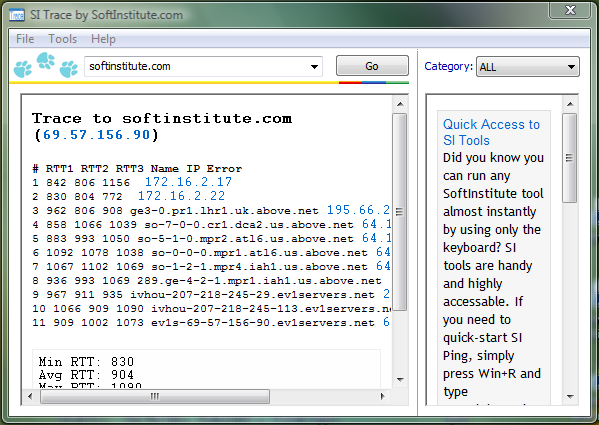
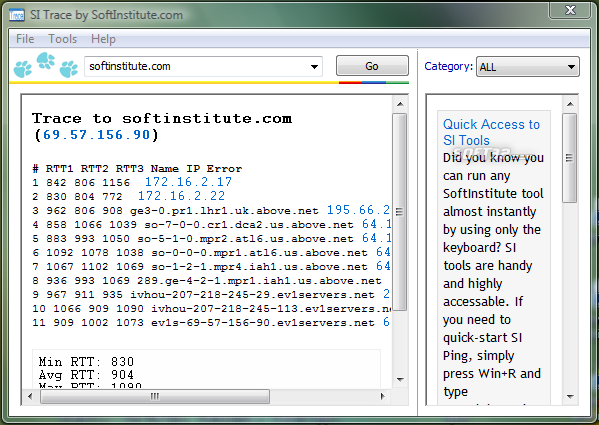
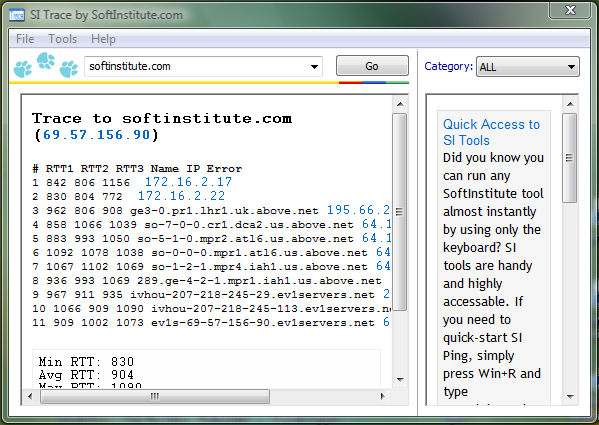
While there's nothing particularly wrong in using the supplied tracert.exe, we at Soft Institute wrapped the same thing into a much more convenient package. SI Trace provides clearly legible, well-formatted output by providing easy to understand numbers and well-explained results. It displays all the vital information from classic Unix traceroute and Windows tracert commands, and allows you to check more than one computer by simply selecting the address from a combo box. Thanks to its user-friendly interface, it is much more convenient to use than Windows tracert.



 Windows XP and above
 View Screenshots(3)
 Comments
 Download




 Similar Software


 Recently Searched
 Software Categories
 Trending Software


 Like Us
