Works on: Windows 10 | Windows 8.1 | Windows 8 | Windows 7 | Windows XP | Windows 2000 | Windows 2003 | Windows 2008 | Windows Vista | Windows 2012 SHA1 Hash: 0aeac12c6403f372273db8d5ed2e87db1e136cad Size: 427.73 KB File Format: zip
Rating: 2.5
out of 5
based on 23 user ratings
Downloads: 186 License: Free
Site Navigator is a free software by DEMM'S and works on Windows 10, Windows 8.1, Windows 8, Windows 7, Windows XP, Windows 2000, Windows 2003, Windows 2008, Windows Vista, Windows 2012.
You can download Site Navigator which is 427.73 KB in size and belongs to the software category Desktop Enhancements. Site Navigator was released on 2014-04-25 and last updated on our database on 2017-04-26 and is currently at version 1.1.
Thank you for downloading from SoftPaz! Your download should start any moment now. It would be great if you could rate and share:
Rate this software:
Share in your network:
Site Navigator Description
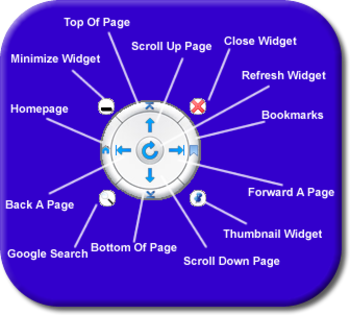
Youre on your favorite browser now right? Take a look at the distance from the down button on the bottom right of your scroll bar. To the back, forward and refresh button on the top left of your browser. Why are they so far away from each other? They are the most used buttons when youre on a website. Why are they not closer together? With all that mouse scrolling I felt that there needed to be a way for my visitors to navigate my websites easier without doing all the scrolling back and forth.
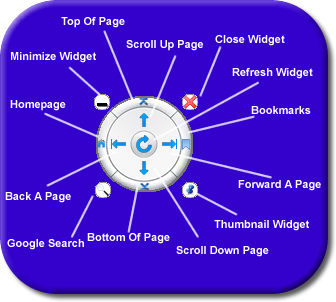
What I came up with is the "Site Navigator". A little dial that controls the 9 main navigation functions visitors use on your website in one central location. The average person will spend over 5 hours per day online / 25 hrs a week. Thats a drag (pun intended) when you have to keep dragging your pointer back and forth. The 9 functions are: Scroll Down, Scroll Up, Back Page, Forward Page, Top Of The Page, Bottom Of The Page, Home Page, Google Search and Refresh Page.



 Windows XP and above
 View Screenshots(2)
 Comments
 Download




 Similar Software


 Recently Searched
 Software Categories
 Trending Software


 Like Us

