Version: 4 Last Updated: 27 Apr 2017 Release: 16 Jun 2015 Category: Multimedia > Video
Rate this software:
198 downloads
View Screenshots(2)
Comments
Download
Liked it? Tell others:
SmartPixel Details
Works on: Windows 10 | Windows 8.1 | Windows 8 | Windows 7 | Windows XP | Windows 2000 | Windows 2003 | Windows 2008 | Windows Vista | Windows 2012 SHA1 Hash: 5903d384018a8eace7415de396651cb3890e0901 Size: 29.36 MB File Format: exe
Rating: 2.3
out of 5
based on 23 user ratings
Publisher Website: External Link Downloads: 198 License: Demo / Trial Version
SmartPixel is a demo software by Beyond Magic and works on Windows 10, Windows 8.1, Windows 8, Windows 7, Windows XP, Windows 2000, Windows 2003, Windows 2008, Windows Vista, Windows 2012.
You can download SmartPixel which is 29.36 MB in size and belongs to the software category Video. SmartPixel was released on 2015-06-16 and last updated on our database on 2017-04-27 and is currently at version 4.
Thank you for downloading from SoftPaz! Your download should start any moment now. It would be great if you could rate and share:
Rate this software:
Share in your network:
SmartPixel Description
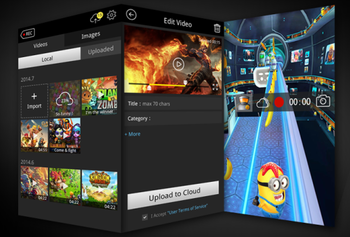
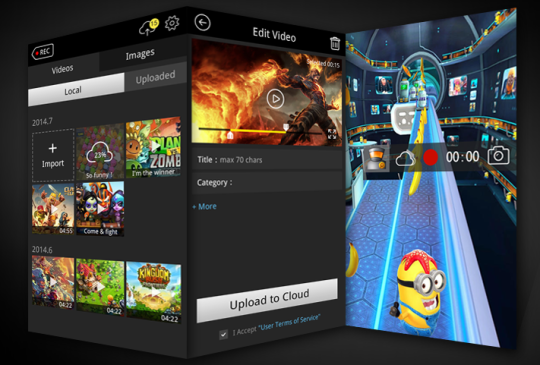
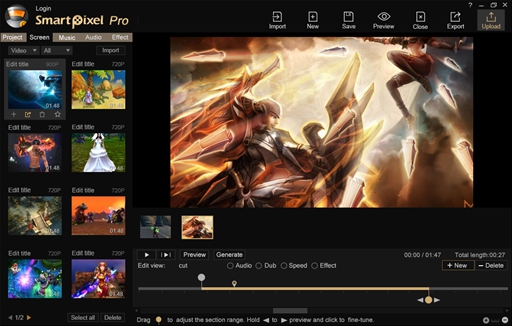
SmartPixel software is a free easy to use screen recorder and video editor tool for Windows and Android. It has been seamlessly integrated D3D recording technology which compatible with nearly all the PC and mobile games. With rich video editing features it could help people easily create professional videos in 1080P HD high quality with less CPU consumption and lower disk usage. In addition to game videos,it is widely used for capturing desktop screen videos, tutorial videos, webcam videos as well as personalized music videos. It is one of the best free video recorder and editor software for home users. Smartpixel screen recorder has area, full screen as well as PIP screen capture mode. Area mode helps to capture specific part of the desktop screen, PIP mode helps to record webcam videos as microphone audios during desktop screen capturing. Its a perfect game recorder for gamer to create tutorial videos. If you are a talented video maker, SmartPixel webcam recorder could also help you capture impressive webcam videos with various video effects. In the record setting panel, you can freely adjust resolutions, frame rates, brightness for better video quality. In addition to screen capture, SmartPixel video editor also provides easy to use video editing features to help you clip, merge, split your videos in a few minutes. You can effectively insert subtitles, text effect, filters, background music, audio clips as well as dubbing for your videos. Almost any ideas you can think of, you can realize in your videos! Once the video editing is done, the video clip can be exported with FLV, AVI, MP4, WMV and other general formats. If you are a video gamer you can upload and share your videos directly via SmartPixel by binding your social accounts and input the video title, descriptions etc. The videos will be uploaded to GoPlay game video platform and share to Facebook, YouTube and Twitter. SmartPixel is the best game recorder & video editor for PC and mobile gamers.
Whats new in this version:
Version 4.0: 1. Support Facebook, Twitter and Google login; 2. Support game video upload to GoPlay and share to social network such as Facebook, Twitter and YouTube; 3. Brand new interface.
Where to buy?
Last updated price and discount information 9 years agoupdate now



 Windows XP and above
 View Screenshots(2)
 Comments
 Download





 Similar Software


 Recently Searched
 Software Categories
 Trending Software


 Like Us

