Works on: Windows 10 | Windows 8.1 | Windows 8 | Windows 7 | Windows XP | Windows 2000 | Windows 2003 | Windows 2008 | Windows Vista | Windows 2012 SHA1 Hash: 41f519f837a5c5368108653b618617e35dc3fe02 Size: 367.19 KB File Format: exe
Rating: 1.8
out of 5
based on 23 user ratings
Publisher Website: External Link Downloads: 122 License: Demo / Trial Version
SmartVB6 is a demo software by Olsoft and works on Windows 10, Windows 8.1, Windows 8, Windows 7, Windows XP, Windows 2000, Windows 2003, Windows 2008, Windows Vista, Windows 2012.
You can download SmartVB6 which is 367.19 KB in size and belongs to the software category File Editors. SmartVB6 was released on 2007-04-06 and last updated on our database on 2017-03-09 and is currently at version 2.
Thank you for downloading from SoftPaz! Your download should start any moment now. It would be great if you could rate and share:
Rate this software:
Share in your network:
SmartVB6 Description
Useful Visual Basic 6.0 development tools to build fast and robust VB6 code. It includes intuitively understandable modules that help in programming such as powerful project explorer, snippets that is a library of useful codes, a number of builders: procedures, classes, properties, structures, collections, enum and error handlers.
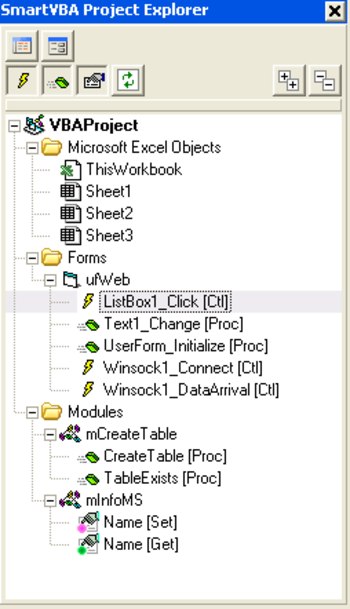
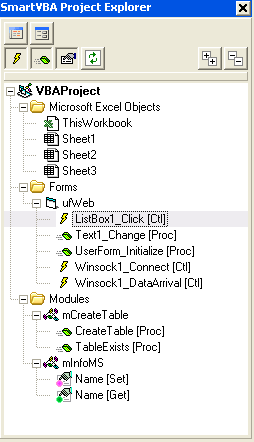
Project Explorer is intended to expand standard Visual Basic Explorer functionality. Easy to use and navigate diagram-tree helps to manage objects and elements.
Procedure Builder is intended to generate text of the Sub or Function. Collections Builder helps to include a new collection class into the user's project based on the existing class. Enum Builder is used to create new Enum type in the project. Error Handler Manager helps to insert, edit or remove error handler codes and schemes.
Code Snippets module is used to work with codes library. Snippets is the library of useful codes. Snippet Manager, Insert Snippet and Store to Snippets modules are used to work with codes library, insert a fragment from snippets to the project or record interesting fragment to the library.
Settings form is also included into the program to easily adjust necessary parameters such as author, procedure, property, class, enum, snippet manager, exceptions, control type and explorer.
Where to buy?
Last updated price and discount information 9 years agoupdate now



 Windows XP and above
 View Screenshots(3)
 Comments
 Download





 Similar Software


 Recently Searched
 Software Categories
 Trending Software


 Like Us
