Version: 1 Last Updated: 09 Mar 2017 Release: 11 Nov 2010 Category: Office tools
Rate this software:
164 downloads
View Screenshots(2)
Comments
Download
Liked it? Tell others:
SnapReader Demo Details
Works on: Windows 10 | Windows 8.1 | Windows 8 | Windows 7 | Windows 2012 SHA1 Hash: 47a2056b6c738abb1d247137965eda0470b58704 Size: 9.43 MB File Format: exe
Rating: 1.8
out of 5
based on 23 user ratings
Publisher Website: External Link Downloads: 164 License: Demo / Trial Version
SnapReader Demo is a demo software by Topsoft, Ltd. and works on Windows 10, Windows 8.1, Windows 8, Windows 7, Windows 2012.
You can download SnapReader Demo which is 9.43 MB in size and belongs to the software category Office tools. SnapReader Demo was released on 2010-11-11 and last updated on our database on 2017-03-09 and is currently at version 1.
Thank you for downloading from SoftPaz! Your download should start any moment now. It would be great if you could rate and share:
Rate this software:
Share in your network:
SnapReader Demo Description
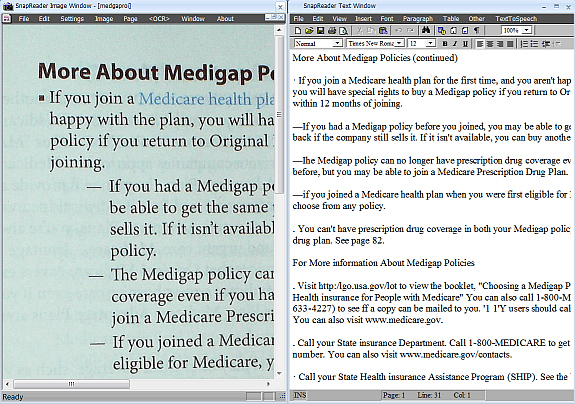
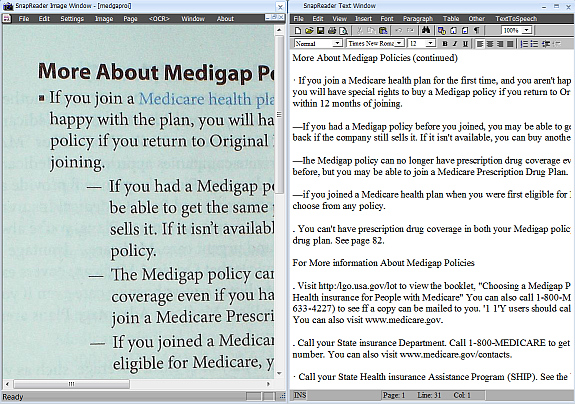
SnapReader is an innovative Document Recognition Toolkit that combines Document Imaging, OCR, Text and Speech Processing Tools. Our second generation technology is based on three years of research and development performed while field testing our first generation OCR applications. SnapReader Toolkit allows you to use nearly any digital camera or scanner for acquiring images from books, magazines or newspapers. SnapReader Toolkit also includes Audrey, a very natural sounding Text To Speech Synthesizer. Audrey can be used to convert your documents to very high quality audio that can be played on your PC or portable music player. SnapReader Toolkit's Advanced Features Fast, accurate OCR with either a scanner or camera SnapReader's OCR engine does full document layout analysis Includes high quality Text To Speech voice Audrey Automatically corrects page orientation and skew Uses our second generation OCR and imaging technology OCR output formats include PDF, HTML, RTF, TXT and WAV Able to read 11 different languages Includes built-in text and image WYSIWYG editors Post-processing Spell Checker for all 11 Languages Text-To-Speech interface with a free MP3 encoder plug-In Camera capture diagnostics and easy to understand Tutorial Built-in easy to use Document Search Engine Automatic Camera Tethering Scan and OCR a document with just a single key press Supports single or multi-column format retention Works and plays well with other programs SnapReader can be used to make your own searchable notes from almost any document image. Or you can use it as an an authoring tool and create your own editable content using your scanner or camera and save the results as HTML or PDF. SnapReader can also transform text into very high quality audio using Audrey. So not only can you use your scanner or camera to capture documents, you can now also use your portable music player or smartphone to "read" them.
Where to buy?
Last updated price and discount information 9 years agoupdate now



 Windows 7 and above
 View Screenshots(2)
 Comments
 Download





 Similar Software


 Recently Searched
 Software Categories
 Trending Software


 Like Us

