Version: 2 Last Updated: 09 Mar 2017 Release: 14 Mar 2006 Category: Network Tools
Rate this software:
180 downloads
View Screenshots(1)
Comments
Download
Liked it? Tell others:
statlook Details
Works on: Windows 10 | Windows 8.1 | Windows 8 | Windows 7 | Windows XP | Windows 2000 | Windows 2003 | Windows 2008 | Windows Vista | Windows 2012 SHA1 Hash: 906e000498cd6e66054fc6248694ccf2e36cb4f8 Size: 5.86 KB File Format: zip
Rating: 2.4
out of 5
based on 23 user ratings
Publisher Website: External Link Downloads: 180 License: Demo / Trial Version
statlook is a demo software by A Plus C and works on Windows 10, Windows 8.1, Windows 8, Windows 7, Windows XP, Windows 2000, Windows 2003, Windows 2008, Windows Vista, Windows 2012.
You can download statlook which is 5.86 KB in size and belongs to the software category Network Tools. statlook was released on 2006-03-14 and last updated on our database on 2017-03-09 and is currently at version 2.
Thank you for downloading from SoftPaz! Your download should start any moment now. It would be great if you could rate and share:
Rate this software:
Share in your network:
statlook Description
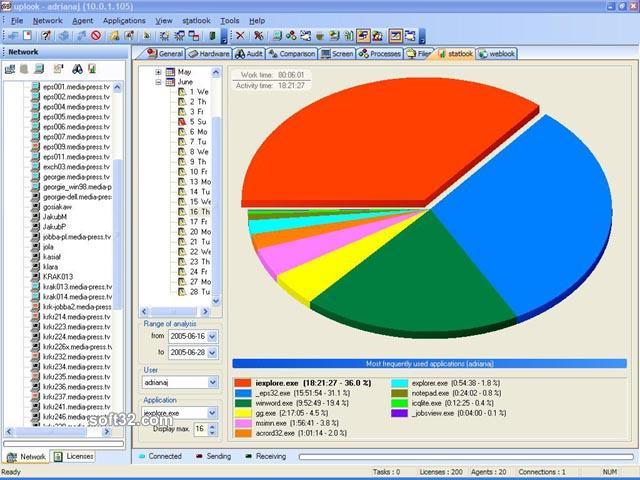
statlook is a comprehensive software tool for Internet usage monitoring, application usage tracking and work time control. With statlook you can keep an eye on every detail of PC and user activity connected to your corporate network. You can monitor work time, benchmark employee efficiency and gain remote control over their desktops not having to move from your seat. Detailed reporting, transparent statistics and in-depth reports give you full insight into your employees' activities. Work time metering have never been easier! With statlook you can track logons, logouts and coffee breaks with ease. Surveillance modules will record every inactive periods during set work hours. You will notice major improvements in your employees' efficiency just within days after implementing statlook. statlook combines two functions: it enables you to gain full control over the software installed in your company and raises your employees' efficiency significantly. Usually the improvements in productivity will be noticeable within a few days after implementing of statlook. Employees' awareness of the presence of the statlook surveillance software on their computers will keep them away from doing. unproductive stuff at work.



 Windows XP and above
 View Screenshots(1)
 Comments
 Download




 Similar Software


 Recently Searched
 Software Categories
 Trending Software


 Like Us

