Version: 1.02 Last Updated: 10 Mar 2017 Release: 15 Oct 2005 Category: Business > Applications
Rate this software:
142 downloads
View Screenshots(3)
Comments
Download
Liked it? Tell others:
TabView Organizer Details
Works on: Windows 10 | Windows 8.1 | Windows 8 | Windows 7 | Windows XP | Windows 2000 | Windows 2003 | Windows 2008 | Windows Vista | Windows 2012 SHA1 Hash: 00c4c1abf162191bf59aac7645708f3db6cd97a9 Size: 5.42 MB File Format: exe
Rating: 2.1
out of 5
based on 23 user ratings
Publisher Website: External Link Downloads: 142 License: Demo / Trial Version
TabView Organizer is a demo software by 4team Corporation and works on Windows 10, Windows 8.1, Windows 8, Windows 7, Windows XP, Windows 2000, Windows 2003, Windows 2008, Windows Vista, Windows 2012.
You can download TabView Organizer which is 5.42 MB in size and belongs to the software category Applications. TabView Organizer was released on 2005-10-15 and last updated on our database on 2017-03-10 and is currently at version 1.02.
Thank you for downloading from SoftPaz! Your download should start any moment now. It would be great if you could rate and share:
Rate this software:
Share in your network:
TabView Organizer Description
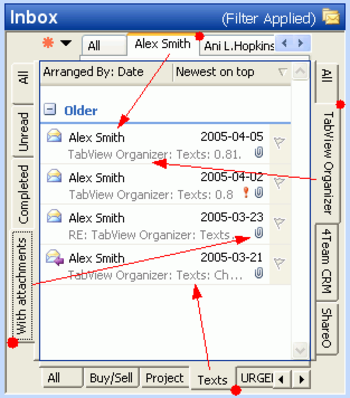
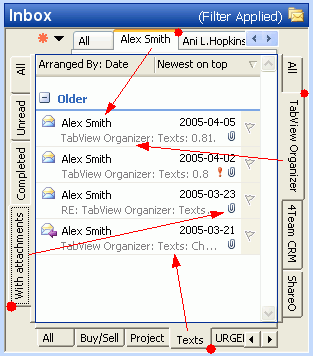
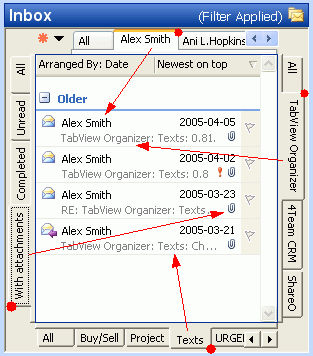
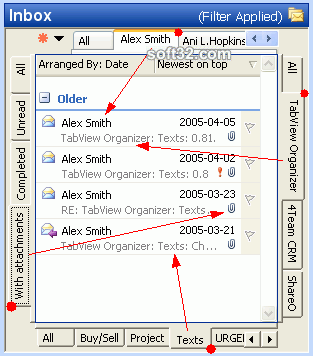
Tabbed Switch between customized search Filters and Views in any Microsoft Outlook Folders. The software provides an easy search of your Outlook data through sorting and filtering them by tabs. This program is not just replacing the standard search and filter, it is a one-click filter switch that will save your time with pre-sorted, filtered items, such as e-mail, contacts, tasks, notes, journal, etc., and will shows it in a custom view.
Main features: Microsoft Outlook Folders integrated plug-in - Fully integrated in a chosen folder View; expands the standard features of Outlook search, filter, sorting and views. One Click Tab Switch between Customized Views and Filters. - You can change the filter by simply clicking another Tab.Manage and Edit Tabs - Easily manage Tab Filter and View options, Add new, Rename, Merge, Delete and Move Tabs or Tabs panel to any side of the screen. Move your tabs and filter settings to other PCs or similar folders. Easy Tabs setup by a smart & flexible Wizard.
Example of use: 1) The first click on the Tab will help you find an email from your friend, the second click will filter by specific subject, the third will sort out only unread messages, and the last click will find messages that were sent to you during the last seven days. Not impressed? Assign your custom Filter and View to any tab to make your search/filter/sort precisely as you wish. 2) Task and Project Management has never been easier with TabView and Outlook: Assign project name (category) and preferred view to the tab or use the Wizard. Your Project information is accessible, filtered and sorted out in one click.
If you are looking for means to save your valuable time, this program is for you.
Where to buy?
Last updated price and discount information 9 years agoupdate now



 Windows XP and above
 View Screenshots(3)
 Comments
 Download





 Similar Software


 Recently Searched
 Software Categories
 Trending Software

 Like Us

