Version: 1 Last Updated: 10 Mar 2017 Release: 11 May 2015 Category: Programming
Rate this software:
228 downloads
View Screenshots(1)
Comments
Download
Liked it? Tell others:
TailExpert Details
Works on: Windows 10 | Windows 8.1 | Windows 8 | Windows 7 | Windows 2012 SHA1 Hash: 434eb8f63c4fa7fde12d58c937f657a8bb35f9f1 Size: 16.1 MB File Format: msi
Rating: 2.0
out of 5
based on 23 user ratings
Publisher Website: External Link Downloads: 228 License: Demo / Trial Version
TailExpert is a demo software by Neware Enterprise Solutions and works on Windows 10, Windows 8.1, Windows 8, Windows 7, Windows 2012.
You can download TailExpert which is 16.1 MB in size and belongs to the software category Programming. TailExpert was released on 2015-05-11 and last updated on our database on 2017-03-10 and is currently at version 1.
Thank you for downloading from SoftPaz! Your download should start any moment now. It would be great if you could rate and share:
Rate this software:
Share in your network:
TailExpert Description
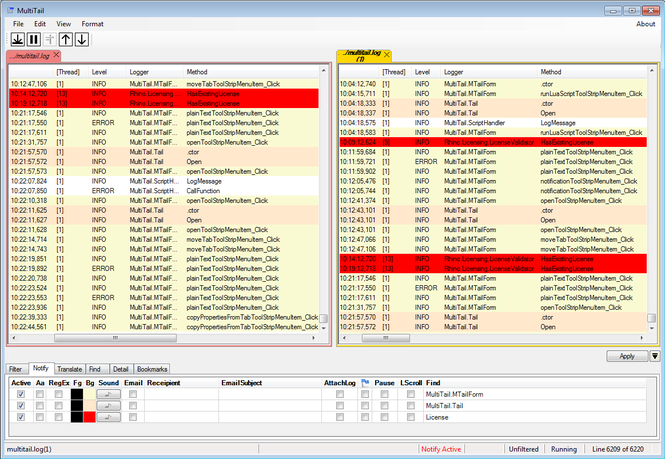
TailExpert is a reliable and useful application dedicated to helping you analyze log files, eventlogs or even system logs. The software is designed to open multiple files in separate tabs and allows you to compare them in side by side view, find character strings, or highlight particular lines, that you wish to watch.
TailExpert can open several sources of logdata at the same time, in separate tabs. Its purpose is to display and allow you to analyze this logdata, whether they are stored on your computer in .LOG or .TXT formats or coming in from a network connection. You can compare logs and run statistics on them using the built-in lua interpreter.
The application permits several analysis and study actions that it facilitates, by offering you dedicated instruments. Advanced message filtering or finding character strings are available for you to use at any time. Moreover, you can highlight messages, translate them, in order to improve the readability, as well as configure the view formats.
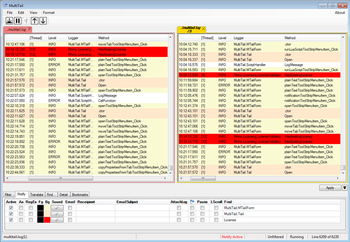
TailExpert is simple to use, lightweight and allows you to quickly view, analyze and compare two or more log files, using advanced tools. The software supports opening several files at the same time, in separate tabs. By default, it assigns a different color to each tab, so you can easily tell them apart and select them when you wish to view their contents.
Where to buy?
Last updated price and discount information 9 years agoupdate now



 Windows 7 and above
 View Screenshots(1)
 Comments
 Download





 Similar Software


 Recently Searched
 Software Categories
 Trending Software
 Like Us


