Works on: Windows 10 | Windows 8.1 | Windows 8 | Windows 7 | Windows 2012 SHA1 Hash: 3dbf22625b73f1d1c2cc3b23463aeb4a0d9fc6b0 Size: 3.66 MB File Format: exe
Rating: 2.4
out of 5
based on 23 user ratings
Publisher Website: External Link Downloads: 1221 License: Demo / Trial Version
Tarma Installer is a demo software by Tarma Software Research and works on Windows 10, Windows 8.1, Windows 8, Windows 7, Windows 2012.
You can download Tarma Installer which is 3.66 MB in size and belongs to the software category Setup creators. Tarma Installer was released on 2009-08-06 and last updated on our database on 2017-03-09 and is currently at version 2.
Thank you for downloading from SoftPaz! Your download should start any moment now. It would be great if you could rate and share:
Rate this software:
Share in your network:
Tarma Installer Description
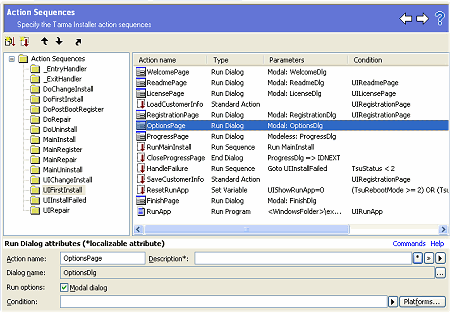
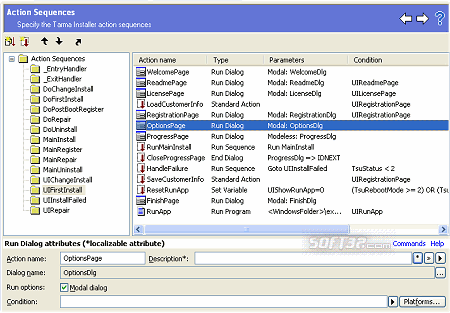
Tarma Installer creates stand-alone software installers for Microsoft® Windows® platforms, with a small distribution size, a straightforward and clean user interface, and smart install and uninstall behavior. Requires no scripting; includes an intuitive and comprehensive development environment with extensive preflight checking to suit novices and experts alike. Major features: * Professional software installer in less than 100 KB. Installs and removes programs, documents, images, multi-media files, TrueType® and OpenType® fonts, .Net assemblies, ActiveX controls, COM servers, type libraries, WinHelp files, device drivers, services, registry updates, INI files, environment variables, program groups, shortcuts, and third-party tools. * Platform-dependent installations allow you to specify the exact Windows versions for each installation item. * Single-file self-extracting packages with Authenticode® signatures for secure Internet downloads, CD-ROM distribution, or any other channel, with optional password protection. * Fully multilingual and totally localizable. * Fully authorable installer screens and actions. * Powerful development environment has familiar user interface with full drag & drop support, fill-in-the-blanks editing, more than 450 different preflight checks, and extensive context-sensitive online help.



 Windows 7 and above
 View Screenshots(3)
 Comments
 Download




 Similar Software


 Recently Searched
 Software Categories
 Trending Software
 Like Us


