Works on: Windows 10 | Windows 8.1 | Windows 8 | Windows 7 | Windows 2012 SHA1 Hash: 0ec7a57c748f78ffc0de1a45a79ccda2ea18dbae Size: 8.12 MB File Format: exe
Rating: 2.1
out of 5
based on 23 user ratings
Publisher Website: External Link Downloads: 1443 License: Free
ThinVNC Remote Access Server is a free software by Cybele Software, Inc. and works on Windows 10, Windows 8.1, Windows 8, Windows 7, Windows 2012.
You can download ThinVNC Remote Access Server which is 8.12 MB in size and belongs to the software category Remote Utils. ThinVNC Remote Access Server was released on 2011-03-03 and last updated on our database on 2017-06-14 and is currently at version 1.
Thank you for downloading from SoftPaz! Your download should start any moment now. It would be great if you could rate and share:
Rate this software:
Share in your network:
ThinVNC Remote Access Server Description
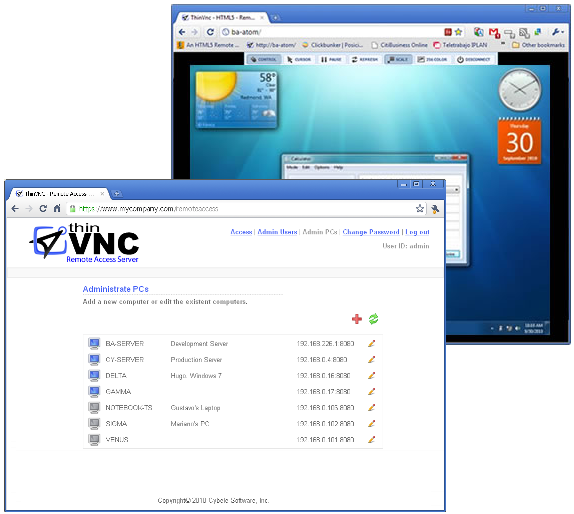
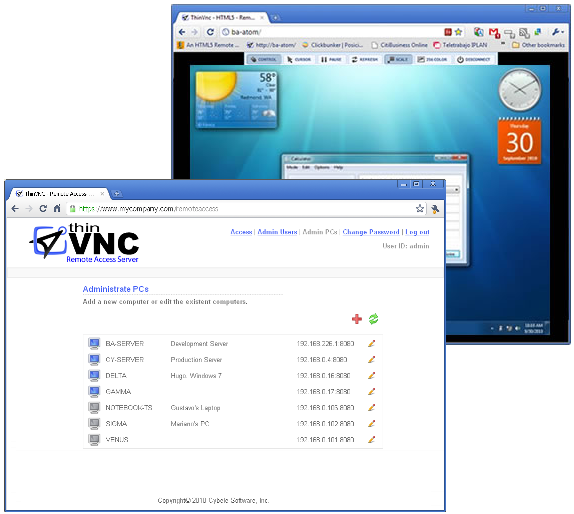
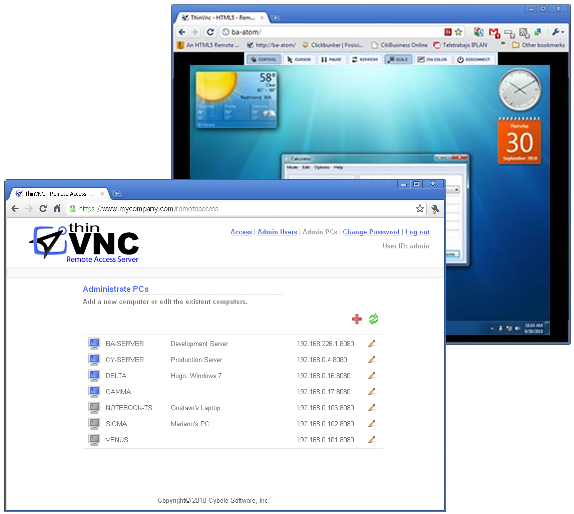
ThinVNC Remote Access Server grants full-external HTML5 Remote Desktop Access to any PC within the corporate LAN/WAN, administering and redirecting ThinVNC's HTTPS/WebSockets traffic. With the ability to define users and PCs, ThinVNC Remote Access Server is the perfect tool for secure telecommuting, remote support and administration.
ThinVNC Remote Access Server provides an easy-to-use web interface targeted to both administrators and end-users. Using ThinVNC Remote Access Server, administrators can manage users and assign the PCs they can gain access to.
End-users simply see a list with their assigned PCs, making them possible the remote desktop access with a simple click. Furthermore, when the remote PC is off, end-users can remotely turn the PC on using the Wake-On-LAN (WOL) feature, making unnecessary to leave all the PCs permanently on.
ThinVNC Remote Access Server requires a copy of ThinVNC running on each remote PC. To ease the installation task, ThinVNC Remote Access Server provides a Remote Install tool, enabling on-demand and remote ThinVNC installation.
ThinVNC Remote Access Server Highlights:
ThinVNC Remote Access Server Highlights:
- Secure (SSL), Firewall-friendly Remote Desktop Access Point
- Web User Interface
- Users/PCs Administration
- Windows Logon Support
- Remote Install Tool
- Wake-On-Lan (WOL)
Visit our site: www . thinvnc . com
About the company:
We are a leading company in the design of solutions for accessing company information and system integration. Founded in 2002 by experts with more than 20 years of experience, and has prestigious clients in a wide range of business sectors.



 Windows 7 and above
 View Screenshots(3)
 Comments
 Download




 Similar Software


 Recently Searched
 Software Categories
 Trending Software
 Like Us

