Works on: Windows 10 | Windows 8.1 | Windows 8 | Windows 7 | Windows XP | Windows 2000 | Windows 2003 | Windows 2008 | Windows Vista | Windows 2012 SHA1 Hash: ce8607b39d2472cfc8bbbd246ab0c6b3cf446720 Size: 4.57 MB File Format: zip
Rating: 1.9
out of 5
based on 23 user ratings
Publisher Website: External Link Downloads: 147 License: Demo / Trial Version
VeryPDF PDFToolbox is a demo software by Verypdf and works on Windows 10, Windows 8.1, Windows 8, Windows 7, Windows XP, Windows 2000, Windows 2003, Windows 2008, Windows Vista, Windows 2012.
You can download VeryPDF PDFToolbox which is 4.57 MB in size and belongs to the software category Customer Management. VeryPDF PDFToolbox was released on 2012-06-12 and last updated on our database on 2017-04-24 and is currently at version 2.
Thank you for downloading from SoftPaz! Your download should start any moment now. It would be great if you could rate and share:
Rate this software:
Share in your network:
VeryPDF PDFToolbox Description
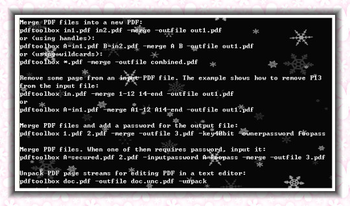
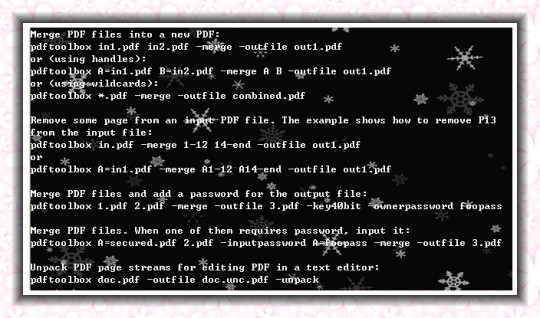
VeryPDF PDF Merger Command Line is a useful and helpful application which can merge several PDF files to one PDF and deal with most PDF operations by Command Line in Windows system. a. With VeryPDF PDF Merger Command Line, you can merge PDF files according to the order of the files in the list, or cross-merge two PDF files into one PDF file. b. Multi-functional: This program can not only merge PDF files, it can also split, encrypt PDF, fill PDF form, edit PDF description, optimize PDF and do other PDF related operations.c. With VeryPDF PDF Merger Command Line, you need not the third party PDF editing software.Features of VeryPDF PDF Merger Command Line:1. Merge several PDF files to one by Command Line.2. Split PDF.3. Encrypt PDF with password.4. Fill form PDF with FDF file.5. Remove PDF password.6. Repair damaged PDF.7. Add watermark or stamp to PDF.8. Remove or extract page from PDF.9. Export or edit PDF description information.10. Attach file to PDF.11. Remove attached file from PDF.12. Compress stream object of PDF.13. Support three versions: Windows, Mac OS and Linux.14. Command line option appropriate for batch process.15. No need for other PDF editing software.
Where to buy?
Last updated price and discount information 9 years agoupdate now



 Windows 2000 and above
 View Screenshots(1)
 Comments
 Download





 Similar Software


 Recently Searched
 Software Categories
 Trending Software
 Like Us


