Works on: Windows 10 | Windows 8.1 | Windows 8 | Windows 7 | Windows XP | Windows 2000 | Windows 2003 | Windows 2008 | Windows Vista | Windows 2012 SHA1 Hash: 6448ef3e6867cb4412188975004023b57420e9da Size: 10.28 MB File Format: zip
Rating: 2.6
out of 5
based on 23 user ratings
Publisher Website: External Link Downloads: 213 License: Demo / Trial Version
Whoitam Image Measurement is a demo software by Whoitam and works on Windows 10, Windows 8.1, Windows 8, Windows 7, Windows XP, Windows 2000, Windows 2003, Windows 2008, Windows Vista, Windows 2012.
You can download Whoitam Image Measurement which is 10.28 MB in size and belongs to the software category Graphic. Whoitam Image Measurement was released on 2015-07-21 and last updated on our database on 2017-04-27 and is currently at version 5.24.
Thank you for downloading from SoftPaz! Your download should start any moment now. It would be great if you could rate and share:
Rate this software:
Share in your network:
Whoitam Image Measurement Description
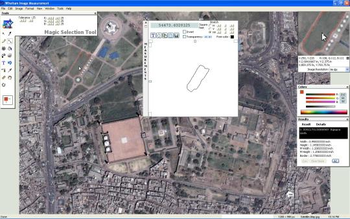
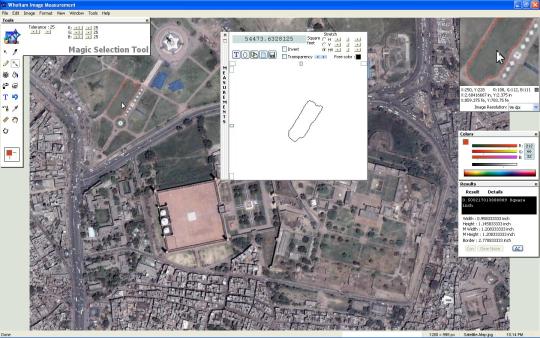
Whoitam Image Measurement is designed as a flexible tool for measuring and analyzing images. It provides accurate and time-saving measurements for your analysis. A number of simple and user-friendly tools help you to organize your images and results of measurements efficiently.The measurements may be done by pointing and clicking or with the magic selection tool which automatically detects edges on objects in the images. It can select any irregular shaped region. Then you can clear noise automatically in selection that reduces the area. You can also get area by polygon tool. Whoitam Image Measurement can load different types of images. Include medical images. Angle, distance, perimeter, area, point and line measurements may be done by using the tools in the Tools Palette. The tools are designed to be easy to use tool for measuring digital images. You can draw and process images programmatically with script.Whoitam Image Measurement lets you visualize images in a variety of ways, including viewing histograms, generating false color images, merging images, inverting image colors, manipulating channels, applying many filters, adjusting features such as gamma, brightness, contrast, finding, replacing, extracting colors.You can even count how many objects there are in an image. The interface isnt hard to get accustomed to.Use the application to easily acquire, analyze, measure, and edit images.
Where to buy?
Last updated price and discount information 9 years agoupdate now



 Windows XP and above
 View Screenshots(1)
 Comments
 Download





 Similar Software


 Recently Searched
 Software Categories
 Trending Software
 Like Us


