Works on: Windows 10 | Windows 8.1 | Windows 8 | Windows 7 | Windows XP | Windows 2000 | Windows 2003 | Windows 2008 | Windows Vista | Windows 2012 SHA1 Hash: e37bd8306c3bcd151476ae5007f68c4d655f0f52 Size: 5.77 MB File Format: zip
Rating: 2.0
out of 5
based on 23 user ratings
Downloads: 242 License: Free
Whyteboard Portable is a free software by Whyteboard and works on Windows 10, Windows 8.1, Windows 8, Windows 7, Windows XP, Windows 2000, Windows 2003, Windows 2008, Windows Vista, Windows 2012.
You can download Whyteboard Portable which is 5.77 MB in size and belongs to the software category Graphic. Whyteboard Portable was released on 2013-04-09 and last updated on our database on 2017-04-25 and is currently at version 0.41.
Thank you for downloading from SoftPaz! Your download should start any moment now. It would be great if you could rate and share:
Rate this software:
Share in your network:
Whyteboard Portable Description
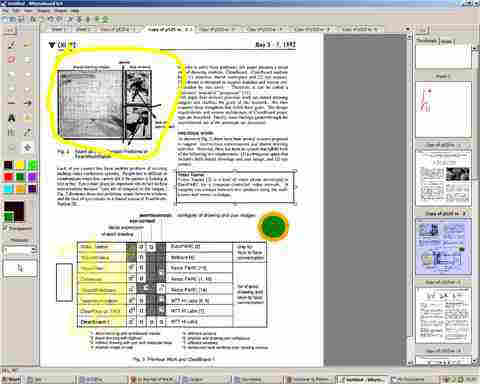
Whyteboard Portable is a free painting application for Windows. It is suited towards creating visual presentations and for overlaying PDF images with annotations. Draw on a canvas using common tools: pen, rectangle, circle, and text. Annotate over PDF files. Drawn shapes can be resized, moved, rotated and re-colored. Tabbed drawing: each tab represents a whiteboard "sheet". Each sheet has unlimited undo/redo operations. Your drawing history can be replayed on a per-sheet basis. Each sheet has a thumbnail of the canvas that updates as you draw. Closed sheets can be re-opened, restoring their data. A tree in a side panel gives an overview of all notes. Resize the canvas easily by dragging it around. Embed an audio/video player onto the canvas.



 Windows XP and above
 View Screenshots(1)
 Comments
 Download




 Similar Software


 Recently Searched
 Software Categories
 Trending Software
 Like Us


