Works on: Windows 10 | Windows 8.1 | Windows 8 | Windows 7 | Windows XP | Windows 2000 | Windows 2003 | Windows 2008 | Windows Vista | Windows 2012 SHA1 Hash: 2c6d56d91bf0ecc3a218420056febef94896f887 Size: 1.13 MB File Format: exe
Rating: 1.7
out of 5
based on 23 user ratings
Publisher Website: External Link Downloads: 155 License: Demo / Trial Version
WorkSnaps is a demo software by WorkSnaps and works on Windows 10, Windows 8.1, Windows 8, Windows 7, Windows XP, Windows 2000, Windows 2003, Windows 2008, Windows Vista, Windows 2012.
You can download WorkSnaps which is 1.13 MB in size and belongs to the software category Desktop Enhancements. WorkSnaps was released on 2012-09-06 and last updated on our database on 2017-04-24 and is currently at version 1.6.
Thank you for downloading from SoftPaz! Your download should start any moment now. It would be great if you could rate and share:
Rate this software:
Share in your network:
WorkSnaps Description
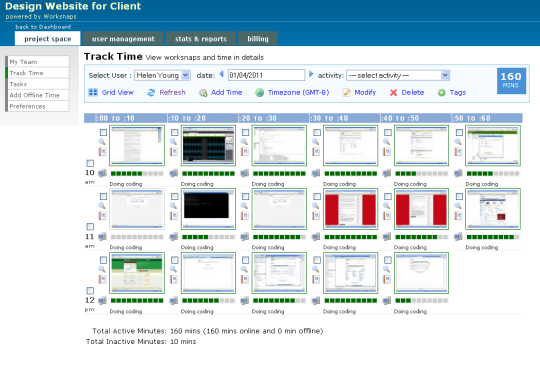
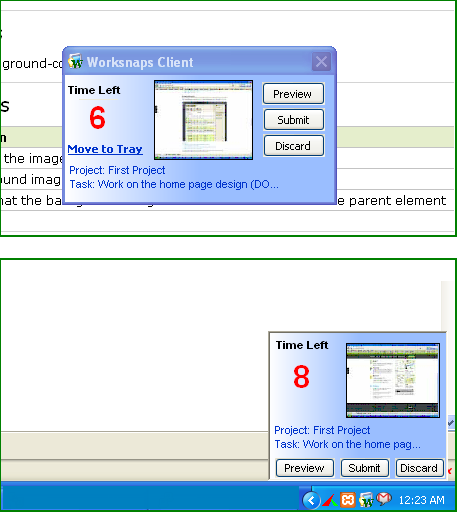
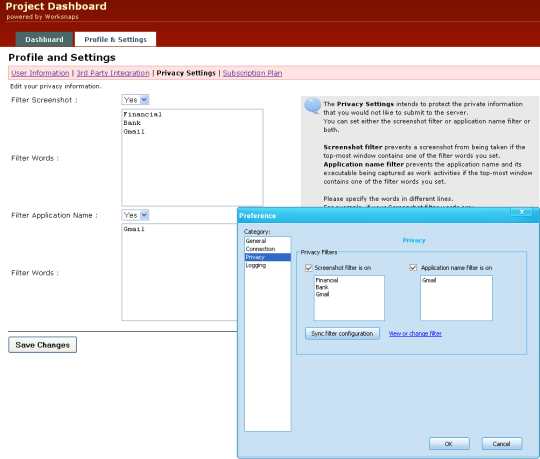
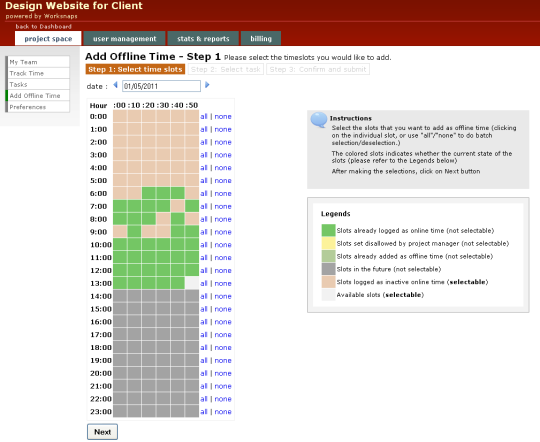
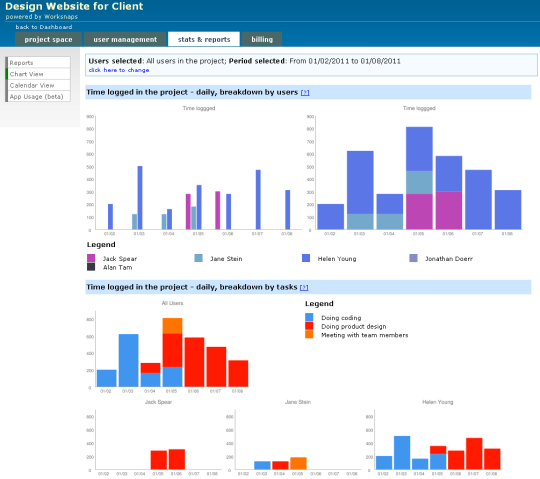
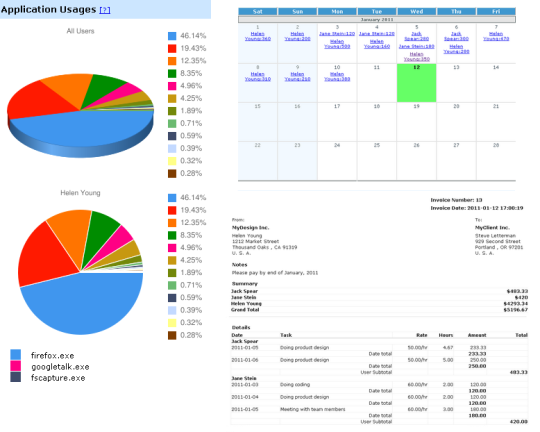
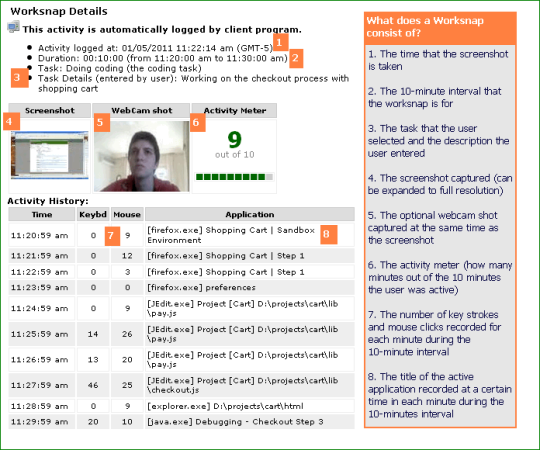
Worksnaps is a time tracking system specifically designed to allow the verification of the time and the work that has been performed by its user. Through the Worksnaps Client, samples of the activities and the work being performed by its user will be taken. These samples, called "worksnaps," will then be sent to the main server. Each of these "worksnaps" are equivalent to 10 minutes of activities or work done by its user. It also includes a screenshot, the number of mouse clicks and key strokes, and the sequence of any active applications being run during the time that the sample was taken. The Worksnaps time tracking system can be useful and beneficial to both the employee and to the manager or the employer. Through the series of samples or "worksnaps" taken, the employee can provide proof that he or she has worked on any given task. This helps facilitate a higher level of accuracy in time tracking. On the other hand, the manager or the employer can then use these "worksnaps" to verify that the Worksnaps Clients user (which is in this case, the employee) has really worked on these tasks. This also allows the manager or the employer to verify the amount of time the user has worked. Worksnaps offer a wide variety of useful and beneficial features to both its user and to the person who does the verification of the time and work done by the clients user. From being able to track the time and the work done by the user to helping both the employee and the employer stay focused on the tasks ahead, this time tracking system provides it all. Below are just some of the key features that Worksnaps has to offer.



 Windows 2000 and above
 View Screenshots(8)
 Comments
 Download




 Similar Software


 Recently Searched
 Software Categories
 Trending Software
 Like Us
