Works on: Windows 10 | Windows 8.1 | Windows 8 | Windows 7 | Windows XP | Windows 2000 | Windows 2003 | Windows 2008 | Windows ME | Windows Vista | Windows 2012 SHA1 Hash: 0a5a1bf45cfe3f403d79fc2b65a8990568dbc3d7 Size: 14.58 MB File Format: exe
Rating: 2.3
out of 5
based on 23 user ratings
Publisher Website: External Link Downloads: 1419 License: Demo / Trial Version
Xilisoft iPod Video Converter is a demo software by Xilisoft.com and works on Windows 10, Windows 8.1, Windows 8, Windows 7, Windows XP, Windows 2000, Windows 2003, Windows 2008, Windows ME, Windows Vista, Windows 2012.
You can download Xilisoft iPod Video Converter which is 14.58 MB in size and belongs to the software category Hard Disk and CD DVD BluRay Utilities. Xilisoft iPod Video Converter was released on 2012-08-20 and last updated on our database on 2017-06-14 and is currently at version 7.4.
Thank you for downloading from SoftPaz! Your download should start any moment now. It would be great if you could rate and share:
Rate this software:
Share in your network:
Xilisoft iPod Video Converter Description
Xilisoft iPod Video Converter is a worldwide popular iPod conversion tool. It can help you easily and rapidly convert popular video formats like AVI, MPEG, WMV, MOV, MP4, RM, RMVB, DivX, ASF, VOB, 3GP, etc to iPod video with the perfect output quality. And it provides a powerful way to convert audio files including WAV, WMV, MP2, AC3, RA, M4A, OGG, AAC etc to iPod supported MP3, M4A. It also supports output of new video iPod 30G/80G MPEG-4 video at 640 by 480 resolution.
New features:
1.Supports ATI Stream encoding technology
2.Added Italy language interface
3.Makes the built-in player resizable (Switch the zoom mode between 4:3 and 16:9)
4.Supports CD decoding
5.Offers the function of power management
6.Transfers the converted files to iPod directly
Compared with other similar software, It has many additional features:
1.Support APE and CUE decoding, audio CD ripping;
2.Zoom and split functions were added;
3.It offers multithreading and batch conversion;
4.It supports more than English, you can choose what language you like to use;
5.The software is integrated with all video/audio encoders/codecs. Users can convert all supported formats once download the program;
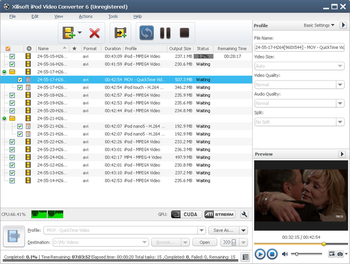
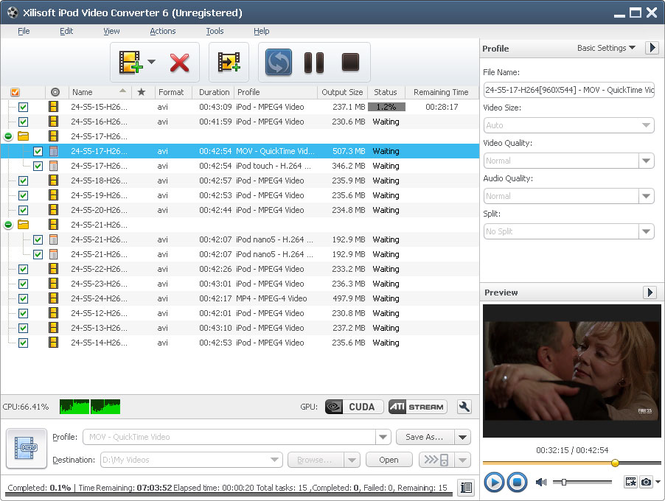
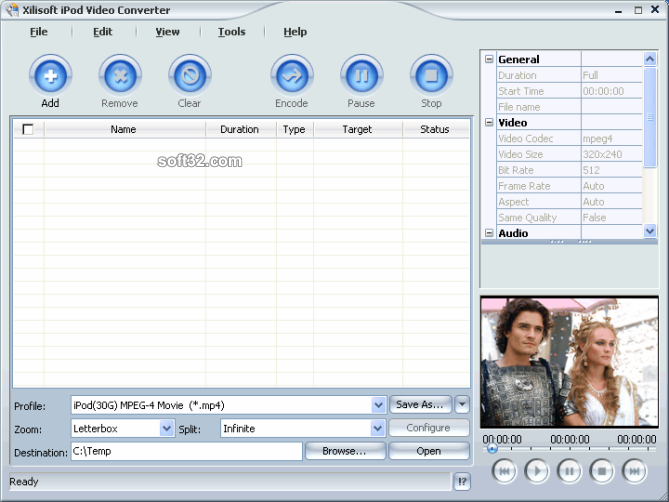
6.All properties and settings are displayed in the interface. Users can see the file properties and settings without opening another window. All settings can be easily set in the interface or keep them default etc.;
7.Some new iPod Touch video formats were added to output options. It’s much more convenient to output videos supported by iPod Touch;
8.Provide both general and advanced settings, such as customizing output file size with video bit rate obtained accordingly;
9.Support setting divers output profiles for one video source at the same time;
10.Support run in background for more efficiency.
Where to buy?
Last updated price and discount information 9 years agoupdate now



 Windows ME and above
 View Screenshots(3)
 Comments
 Download





 Similar Software


 Recently Searched
 Software Categories
 Trending Software
 Like Us


