Works on: Windows 10 | Windows 8.1 | Windows 8 | Windows 7 | Windows XP | Windows 2000 | Windows 2003 | Windows 2008 | Windows Vista | Windows 2012 SHA1 Hash: 0e48a81f2b8a957217bd1f4cb2886f45d124aa36 Size: 548 KB File Format: zip
Rating: 2.6
out of 5
based on 23 user ratings
Publisher Website: External Link Downloads: 1238 License: Demo / Trial Version
Advanced Color Corrector is a demo software by Richard Rosenman Advertising & Design and works on Windows 10, Windows 8.1, Windows 8, Windows 7, Windows XP, Windows 2000, Windows 2003, Windows 2008, Windows Vista, Windows 2012.
You can download Advanced Color Corrector which is 548 KB in size and belongs to the software category Internet Applications Addons. Advanced Color Corrector was released on 2013-01-21 and last updated on our database on 2017-04-25 and is currently at version 2.2.
Thank you for downloading from SoftPaz! Your download should start any moment now. It would be great if you could rate and share:
Rate this software:
Share in your network:
Advanced Color Corrector Description
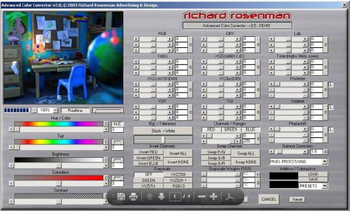
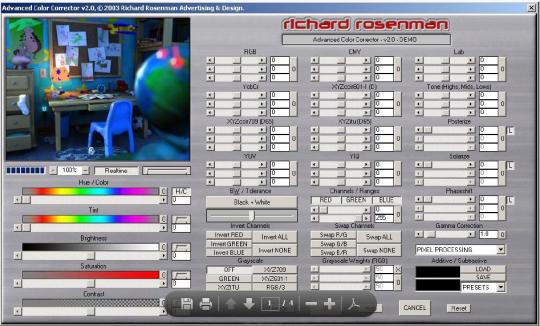
Advanced Color Corrector is a variable-platform color correction or manipulation tool created by artist for artists. The software features processing tools, all conveniently and logically arranged on a single panel for a fast, efficient, and productive workflow. It eliminates the needless time wasted jumping from one tool panel to another when applying various color effects often found. It also eliminates the guesswork required when closing one tool panel and opening another, in order to apply compensating color corrections based on your previous tweaks. Advanced Color Corrector includes all basic as well as advanced color correction tools such as Hue, Saturation, Brightness, Colorize, and Tint each paired with individual multipliers for limitless and unrestrictive out-of-range color corrections. Because every artist works differently, virtually all known color models (RGB, HSL, CMY, LAB, YUV, YIQ, YcbCr, and XYZ) have been included to suite each and every individuals preferred workflow. Common color manipulation effects such as Posterize, Solarize, Phaseshift, and Tone. have also been included for added flexibility and control. Numerous industry-standard RGB to grayscale conversion algorithms are available, as well as user controlled RGB-weighed conversions and even custom written formulas. Selective color channel inversion and/or swapping are available at the click of a button. Color pickers for both additive and/or subtractive coloring are easily and instantly accessible using your platforms predefined color picking tool panels. A new "Pixel Processing" engine provides a wide range of custom written color processing algorithms, all of which can be combined with any other adjustments.
Where to buy?
Last updated price and discount information 9 years agoupdate now



 Windows 2000 and above
 View Screenshots(1)
 Comments
 Download





 Similar Software


 Recently Searched
 Software Categories
 Trending Software

 Like Us


