Version: 5.1 Last Updated: 26 Apr 2017 Release: 18 Jun 2014 Category: Multimedia > Video
Rate this software:
192 downloads
View Screenshots(1)
Comments
Download
Liked it? Tell others:
Aiseesoft AVI to DVD Converter Details
Works on: Windows 10 | Windows 8.1 | Windows 8 | Windows 7 | Windows XP | Windows 2000 | Windows 2003 | Windows 2008 | Windows 98 | Windows ME | Windows NT | Windows Vista | Windows 2012 SHA1 Hash: 34a2ecf3c0240e264d7aaafd8aac0181502ec1a9 Size: 38.2 MB File Format: exe
Rating: 2.0
out of 5
based on 23 user ratings
Publisher Website: External Link Downloads: 192 License: Demo / Trial Version
Aiseesoft AVI to DVD Converter is a demo software by Aiseesoft Studio and works on Windows 10, Windows 8.1, Windows 8, Windows 7, Windows XP, Windows 2000, Windows 2003, Windows 2008, Windows 98, Windows ME, Windows NT, Windows Vista, Windows 2012.
You can download Aiseesoft AVI to DVD Converter which is 38.2 MB in size and belongs to the software category Video. Aiseesoft AVI to DVD Converter was released on 2014-06-18 and last updated on our database on 2017-04-26 and is currently at version 5.1.
Thank you for downloading from SoftPaz! Your download should start any moment now. It would be great if you could rate and share:
Rate this software:
Share in your network:
Aiseesoft AVI to DVD Converter Description
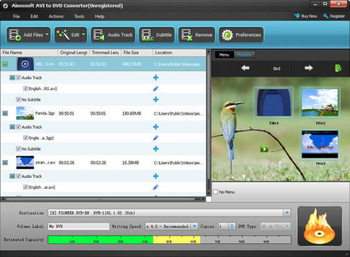
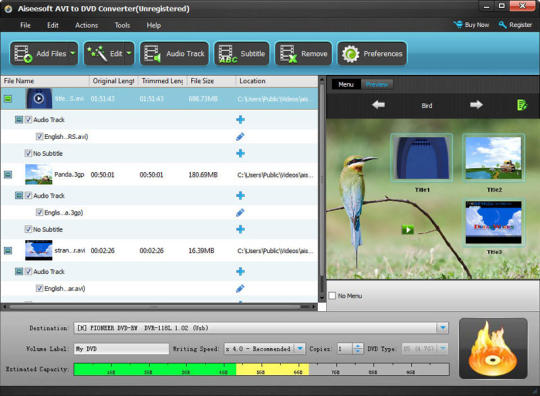
Aiseesoft AVI to DVD Converter is able to help you burn AVI, 3GP, 3G2, DV, DIF, MJPG, MJPEG video to DVD disc( including all DVD+-R/RW, DVD-RAM, DVD-5(4.5G) and DVD-9(8.5GB) discs), DVD folder and DVD iSO files. With it, you can also customize the menu template, frame, button and text. It also allows you to edit the video effect with trim, crop, watermark and other editing functions. Besides, add audio track and subtitle for the added video files, select the background music, film and picture is also available for you.Key Features:1. With it, you can customize the DVD menu template as your preference. It provides you with six kinds of templates such as Scenery, City, Festivals, Plants, Animals and Others. Then you can also select the menu frame and button style. It also enables you to edit the menu text content and define its font, size and color.2.The audio track function can help you add one or more proper audio tracks to meet your needs. It also offers the function of adjusting the output volume and play synchronization situation about video and audio. Even you can set Encoder, Bitrate, Channels and choose loop audio track or not.3. It enables you to directly customize the proper subtitles for DVD. To edit subtitle, you can adjust font family, font size, color, display position and name corresponding language name for each subtitle.
Whats new in this version:
Version 5.1.58 improves stability and conversion speed.
Where to buy?
Last updated price and discount information 9 years agoupdate now



 Windows NT and above
 View Screenshots(1)
 Comments
 Download





 Similar Software


 Recently Searched
 Software Categories
 Trending Software


 Like Us

