Version: 5 Last Updated: 16 Feb 2017 Release: 27 Apr 2009 Category: CD DVD Blu-ray Tools
Rate this software:
224 downloads
View Screenshots(3)
Comments
Download
Liked it? Tell others:
Any Media To Palm Details
Works on: Windows 10 | Windows 8.1 | Windows 8 | Windows 7 | Windows 2012 SHA1 Hash: 890d9394fbcd599da182e8ba84136c994d96a65e Size: 32.27 MB File Format: zip
Rating: 2.5
out of 5
based on 23 user ratings
Downloads: 224 License: Demo / Trial Version
Any Media To Palm is a demo software by Aceconvert and works on Windows 10, Windows 8.1, Windows 8, Windows 7, Windows 2012.
You can download Any Media To Palm which is 32.27 MB in size and belongs to the software category CD DVD Blu-ray Tools. Any Media To Palm was released on 2009-04-27 and last updated on our database on 2017-02-16 and is currently at version 5.
Thank you for downloading from SoftPaz! Your download should start any moment now. It would be great if you could rate and share:
Rate this software:
Share in your network:
Any Media To Palm Description
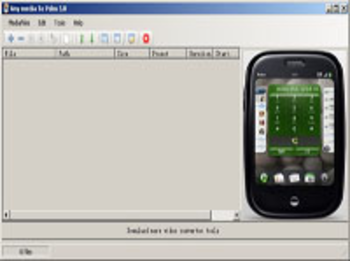
The Suite includes All Files,DVD,CD,SVCD and VCD to Palm Video Converter. The Palm Video Converter lets you easily and quickly convert all popular video formats like AVI, MPG, MPEG, DAT, MOV, ASF,FLV to Palm video (MP4 format). And the Aceconvert Palm helps you convert any Files,DVD,CD,VCD to Palm movie with high quality and fast conversion speed.
Compared with other Palm Video/Movie converter, Any Media To Palm Video Converter supports single-step conversion.You can also adjust the output files parameters with few clicks, such as Splitter large video file and so on
Where to buy?
Last updated price and discount information 6 years agoupdate now



 Windows 7 and above
 View Screenshots(3)
 Comments
 Download





 Similar Software


 Recently Searched
 Software Categories
 Trending Software
 Like Us


