Works on: Windows 10 | Windows 8.1 | Windows 8 | Windows 7 | Windows XP | Windows 2000 | Windows 2003 | Windows 2008 | Windows ME | Windows Vista | Windows 2012 SHA1 Hash: 877d1c8f56354d8c50e8a2a5e0c4ab24b3059326 Size: 5.77 MB File Format: exe
Rating: 2.2
out of 5
based on 23 user ratings
Publisher Website: External Link Downloads: 173 License: Demo / Trial Version
Any to Icon is a demo software by Aha-soft and works on Windows 10, Windows 8.1, Windows 8, Windows 7, Windows XP, Windows 2000, Windows 2003, Windows 2008, Windows ME, Windows Vista, Windows 2012.
You can download Any to Icon which is 5.77 MB in size and belongs to the software category Icon Collections. Any to Icon was released on 2012-07-31 and last updated on our database on 2017-02-17 and is currently at version 3.51.
Thank you for downloading from SoftPaz! Your download should start any moment now. It would be great if you could rate and share:
Rate this software:
Share in your network:
Any to Icon Description
If what you crave for is a pain-free ability to create your own icons, then Any to Icon Pro may be the way to go. This slim application provides you with a handy conversion wizard to produce multi-resolution Windows icons from images and Mac OS icons. Images may come in a variety of formats, including BMP, WBMP, JPEG, GIF, PNG, PSD, TIFF, XPM, XBM, ANI, and CUR. In addition to icon creation, Any to Icon Pro gives you an extra ability to extract icons from folders and libraries to save them as individual icons in folders of your choice.
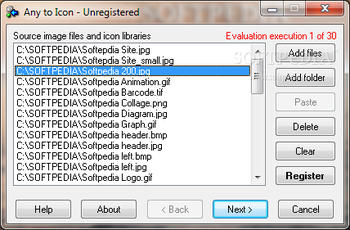
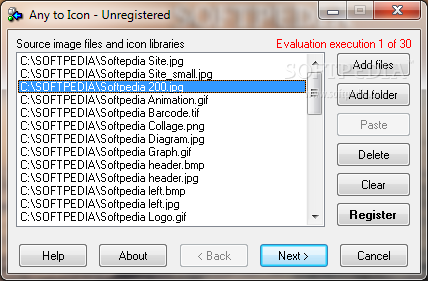
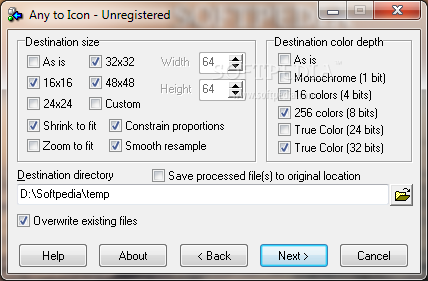
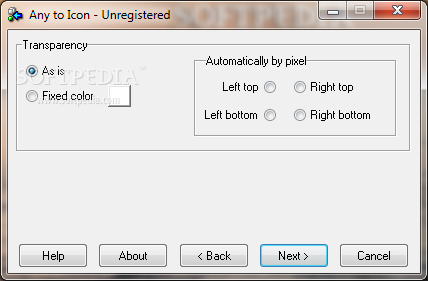
Creating icons with Any to Icon Pro is remarkably easy and does not require any advanced knowledge of computers, or graphic design. The program offers you a wizard that guides you through all icon conversion stages in a point-and-click fashion. Simply select a file, or a folder with images, customize icon output settings that include icon size, color depth, transparency, and specify a destination folder. Based on these settings, the converter automatically produces an icon or a set of icons in a blink of an eye. For your convenience, Any to Icon Pro supports drag-and-drop for adding image files from Windows Explorer with a mouse.
Where to buy?
Last updated price and discount information 9 years agoupdate now



 Windows ME and above
 View Screenshots(3)
 Comments
 Download





 Similar Software


 Recently Searched
 Software Categories
 Trending Software
 Like Us


